
This is part of an ongoing series I am writing as I work my way through the modern web stack from a WordPress developer’s perspective. It is for people who, like me, have built on the web for years and still hit words in a modern stack they could not confidently define. The goal is broad literacy, not deep mastery: by the end you should be able to read any modern stack list and know what each piece does.
Each post comes with an audio companion (10-15 minutes, generated via NotebookLM) for gym or commute listening. Press play below if that suits you better than reading.
When someone tells you their app is “built in Next.js,” they are saying about as much as someone telling you their site is “built in WordPress.” Technically true. Almost completely unhelpful for understanding what they actually built. Both names cover a vast range of choices.
Next.js is the framework that ate the React world. If you read three job posts in modern web development, two of them will mention it. Most of the new React tutorials online assume it. The Vercel keynote talks about it as if it were the only way to use React. There is no equivalent yet on the WordPress side. PHP fragmented into Laravel, Symfony, Drupal, WordPress; React consolidated almost entirely around Next.js.
This module is about what Next.js actually is, why it has eaten the world, and how to think about it if your mental model of “framework that adds conventions on top of a language” was shaped by WordPress.
React on its own is a UI library. It gives you components, state, and a way to update the DOM efficiently. That is genuinely all it gives you. If you tried to build a real application with just React, you would quickly notice you are still missing almost everything:
- A way to define URLs and decide which component renders for each one
- A way to load data from the server before the page renders
- A way to render the initial HTML on the server so search engines can read it
- A build pipeline that bundles everything for production
- A deployment story
- Conventions for organising your project so other developers can read it
Next.js is everything you need to turn React into a real app. Routing, server-side rendering, data fetching, build tooling, the deploy pipeline, file structure conventions. It is a framework in the same sense WordPress is a framework: a system of opinions about how your app should be put together, with hooks for when you need to deviate.
File-based Routing
The biggest difference from WordPress: routing in Next.js comes from your folder structure, not from a router config or from WordPress’s rewrite-rules-plus-template-hierarchy combo.
If you create a file at app/about/page.tsx, you get a page at /about. If you create app/blog/[slug]/page.tsx, you get a dynamic route at /blog/anything. The brackets mean “this part is a variable, pass it as a prop.”
app/
├── page.tsx              → /
├── about/
│   └── page.tsx          → /about
├── blog/
│   ├── page.tsx          → /blog
│   └── [slug]/
│       └── page.tsx      → /blog/whatever
└── api/
    └── posts/
        └── route.ts      → /api/posts (a JSON endpoint, not a page)
That last one is the equivalent of a REST API endpoint. In Next.js, your API routes and your pages live in the same project, which is one of the deeper paradigm shifts compared to “WordPress backend + decoupled React frontend” setups.
Server Components vs Client Components
This is the bit that confuses everyone, so it gets its own section.
By default in modern Next.js, every component is a server component. It runs on the server, fetches data, returns HTML, and never ships JavaScript to the browser. You can use async/await directly inside the component to load data. You cannot use useState, useEffect, or browser-only APIs.
If you need interactivity (state, event handlers, browser APIs), you add 'use client' at the top of the file. That component and everything below it in the tree becomes a client component. It still gets rendered on the server first for the initial HTML, then JavaScript ships to the browser to make it interactive. This is called hydration.
// app/posts/page.tsx (a server component, can fetch data directly)
import { db } from '@/lib/db';

export default async function PostsPage() {
  const posts = await db.posts.findMany();
  return (
    <div>
      {posts.map(p => <PostPreview key={p.id} post={p} />)}
    </div>
  );
}
// app/components/LikeButton.tsx (a client component, has interactivity)
'use client';
import { useState } from 'react';
export function LikeButton({ initial }: { initial: number }) {
const [likes, setLikes] = useState(initial);
return <button onClick={() => setLikes(l => l + 1)}>{likes} likes</button>;
}The intuition that took me longest to internalise: server components are basically a more elegant version of PHP server rendering. They run once on the server, hit the database, and return HTML. Client components are the interactive bits that need to live in the browser. Most modern apps are mostly server components with small islands of client interactivity. The line between them is something you decide, file by file.
Data Fetching
In server components, data fetching is just an await. No useEffect, no loading states (well, no loading states in this component; Next.js handles the loading UX through a sibling file called loading.tsx).
const posts = await fetch('https://api.example.com/posts').then(r => r.json());That fetch runs on the server, before the page is sent to the browser. The HTML the user receives already contains the posts. No spinner. No client-side waterfall.
If you need to load data after the page is already loaded (in response to a user click, for example), you reach for client components and either fetch directly or use a library like SWR or TanStack Query. Server components are not always the answer. They are the default.
Server Actions
The newest piece is server actions. You write a function that runs on the server, mark it with 'use server', and call it from a client component as if it were local. Next.js handles the network call invisibly.
// app/actions.ts
'use server';

import { db } from '@/lib/db';

export async function createPost(formData: FormData) {
  await db.posts.create({ data: { title: formData.get('title') as string } });
}
// app/new-post/page.tsx
import { createPost } from '../actions';
export default function NewPostPage() {
return (
<form action={createPost}>
<input name="title" />
<button type="submit">Save</button>
</form>
);
}That form posts to the server, runs createPost, and updates the database. No API endpoint to write. No fetch call to wire up. This is the part of Next.js that genuinely changes how you build apps, and it has no real analogue in the WordPress world.
The WordPress Analogue
Mental model: Next.js is to React what WordPress is to PHP.
Both started life as a tool with opinions about how to structure a particular kind of web project. WordPress codified “publishing content on the web.” Next.js is codifying “modern web applications.” Both grew from “useful framework” to “ecosystem with gravitational pull” because they made the boring infrastructure decisions for you and let you focus on what your app actually does.
The deepest similarity: both are conventions over configuration. The folder layout matters. The naming matters. Stray from the conventions and the framework gets in your way. Stay inside them and the framework gives you superpowers. PHP developers who tried Laravel after WordPress know this exact feeling. React developers reaching for Next.js are having the same experience now.
App Router vs Pages Router
Next.js comes in two flavors, and you will see codebases that use either.
App Router is the modern default, shipping since Next.js 13 in late 2022. Server components, layouts, nested routing, server actions, streaming. This is what new projects use, and what every tutorial after 2024 is teaching.
Pages Router is the older paradigm, shipping since Next.js was first released in 2016. No server components. Data fetching through getServerSideProps and getStaticProps. Still supported, still works fine, but the framework’s energy has moved to App Router. If you inherit a codebase from before 2023, expect to see Pages Router and a slow migration plan.
Around Next.js sits a familiar set of friends:
| Tool | What it does | Notes |
|---|---|---|
| Vercel | The company behind Next.js, also the default hosting | Covered in Module 9. Strong defaults but you can self-host too. |
| Turbopack | The bundler Next.js uses by default | The next-generation tool replacing Webpack inside Next.js. |
| Tailwind | The CSS solution most Next.js projects use | Covered in Module 14. |
| Drizzle / Prisma | ORMs for talking to your database | Covered in Module 7. |
| Supabase / Neon | Databases your app talks to over the network | Covered in Module 6. |
| Auth.js / Clerk | Auth solutions, with Clerk being the polished commercial option | Covered in Module 8. |
If you see a job ad listing all of these together, it is describing the default modern stack: Next.js + Tailwind + Drizzle + Supabase + Auth.js + Vercel. Knowing one of these makes the others easier to learn, because they all assume the others exist.
What This Changes for WordPress People
Once Next.js clicks, three doors open.
The first is you can build full applications, not just websites. WordPress can be coaxed into being an app platform (custom post types, custom fields, REST endpoints, a thousand plugins), but it is fighting its own publishing-centric DNA the whole way. Next.js was built for apps. The grain runs the other direction. For client work that involves user accounts, dashboards, multi-step workflows, or anything beyond “content with comments,” reaching for Next.js stops feeling like a leap.
The second is you can build hybrid sites that use WordPress as a headless backend and Next.js as the frontend. Content editors still get the WordPress admin they know. Visitors get a faster, more interactive frontend. This is the actual sweet spot for many agency-style projects, and a later module covers it properly.
The third is that AI dev tooling becomes useful. Most modern AI coding assistants are trained heavily on Next.js code. If you point an AI agent at a Next.js project, it will produce competent suggestions. Point it at a WordPress codebase from 2018 and the results are dramatically worse, because the training data is sparser and noisier. Modern stack literacy compounds with AI dev productivity.
Where Next.js trips people up
A handful of things to brace for.
The App Router / Pages Router split is real. When you search Stack Overflow or read blog posts, check the date. Pages Router patterns will not work in App Router and vice versa. Most pre-2023 tutorials are subtly wrong now.
Server components feel weird the first week. You will reflexively reach for useState, get a build error, and remember you are in a server component. This passes. The mental model settles in.
Hydration mismatches are infuriating. If your server-rendered HTML differs from what the client renders on first mount, React throws an error in the console. Common causes: date formatting that depends on locale, random IDs generated on each render, conditional rendering based on window. The fix is usually to delay the inconsistent rendering until after hydration.
'use client' and 'use server' are not interchangeable. 'use client' marks the boundary where client-side JavaScript starts. 'use server' marks a function as a server action that gets exposed to the network. Mixing them up produces errors that are hard to read.
Vercel is the default host, but Next.js can run elsewhere. Cloudflare Pages, Netlify, Fly.io, even your own Node server. Each has its own quirks for the parts of Next.js that depend on Vercel-specific infrastructure (image optimisation, ISR, certain edge features). If a project deliberately avoids Vercel, expect to read deployment-specific configuration.
Build something real in Next.js
If you want to build something in Next.js rather than just recognise it in conversation, a few resources worth your time.
YouTube, gym or commute friendly:
- “Next.js in 100 Seconds” by Fireship for orientation, followed by the “Next.js App Router Course” on YouTube by the official Vercel channel (~2 hours, well paced).
- “Build a Full-Stack Next.js App” by Lee Robinson (head of devrel at Vercel). Walks through every major Next.js feature on a real project. Some of it dates fast, so check the upload date.
Official docs worth bookmarking:
- Next.js Learn. The interactive tutorial. Builds a small dashboard app over a weekend’s worth of evenings.
- Next.js docs. The reference. Use the search bar; navigation is rougher than it should be.
- Vercel’s templates gallery. Real projects you can clone and read. Useful for seeing how all the moving pieces fit in production code.
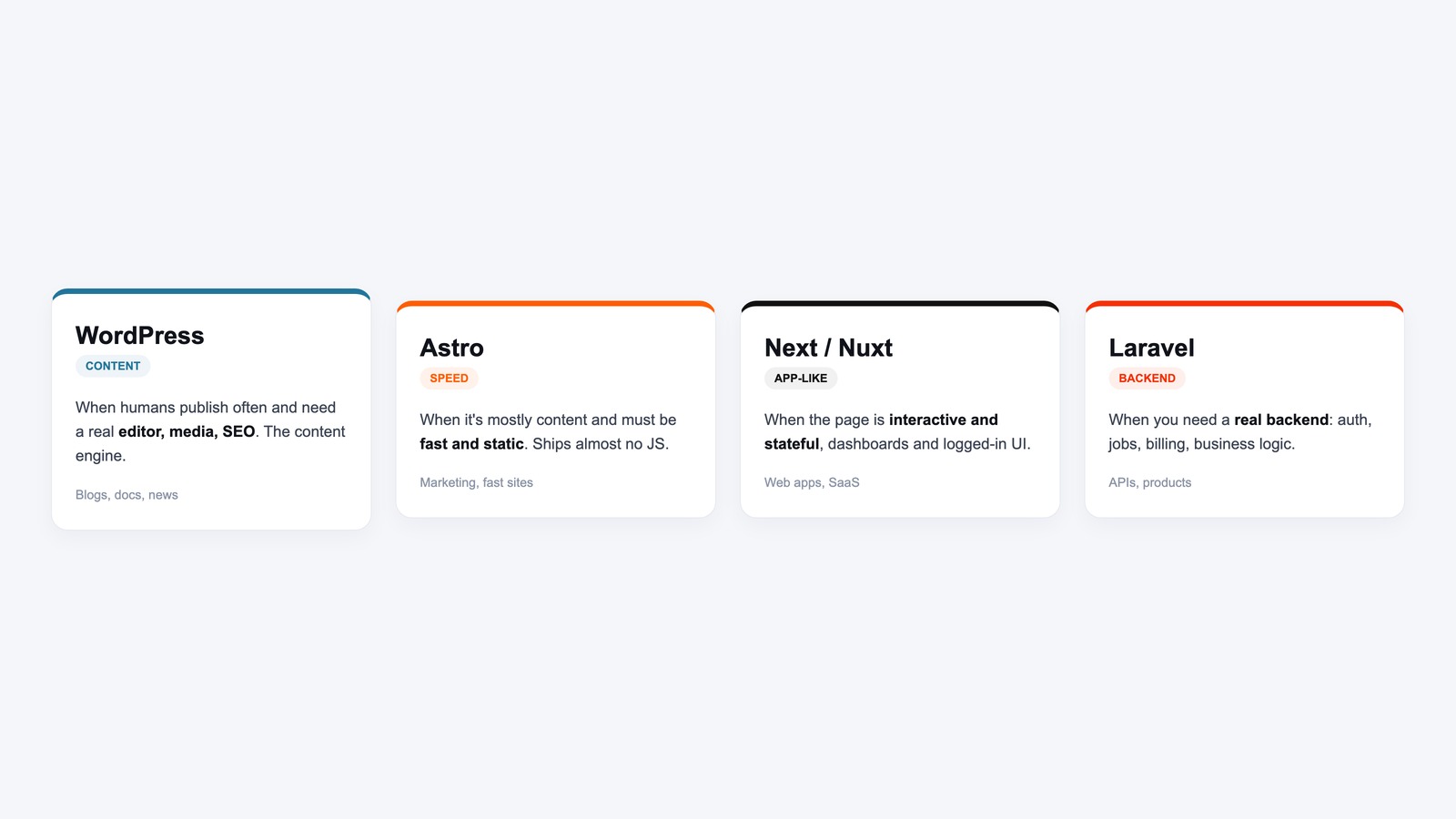
Next post in the series covers the cases where Next.js is the wrong answer: what Astro, React Router 7 (the merged Remix), SvelteKit, and Nuxt are for, and when you would reach for them instead.
Related





Leave a Reply