Jean Galea

Health, Wealth, Relationships, Wisdom

  • Start Here
  • Guides
    • Beginner?s Guide to Investing
    • Cryptocurrencies
    • Stocks
    • P2P Lending
    • Real Estate
    • Forex
    • CFD Trading
    • Start and Monetize a Blog
  • My Story
  • Blog
    • Cryptoassets
    • P2P Lending
    • Real estate
  • Consultancy
    • Consult with Jean
    • Consult a Lawyer on Taxation and Corporate Setups
    • AI Consultancy for Business
  • Podcast
  • Search

Transferring USD to Revolut VS Wise – Which Bank is Best?

Published: November 12, 20251 Comment

wise-revolut-usd-transfers
Short answer: For receiving and moving USD, Wise is usually the better choice, especially if you’re in Europe and getting paid from US banks. Revolut is strong for day-to-day spending and FX, but its USD rails are often weaker and more expensive.

Quick verdict by use case

  • You live in Europe and receive USD from US clients/brokers: Use Wise for USD (ACH/wire into a real US account in your name). Then convert or forward wherever you want.
  • You live in the US and want a spending app: Both work, but Wise is usually cheaper and clearer on FX. Revolut is fine if you mainly spend and rarely receive cross-border USD.
  • You just need a travel card for occasional FX: Either is fine. If USD inflows are important, lean Wise.

First, neither Revolut nor Wise is a traditional bank

Both are regulated fintechs / e-money institutions that partner with banks. Deposit protection and regulatory setup differ by country. You should always check the legal entity and protections in your jurisdiction before parking large sums there.

How USD accounts work in Wise

With Wise, when you open USD “account details” you typically get:

  • A US routing number and account number in your name (ACH + wire-capable for most users).
  • Ability to receive:
    • ACH transfers from US banks with no Wise fee to receive.
    • Domestic US wires for a flat incoming fee.
    • SWIFT USD transfers from abroad, also with a fixed incoming fee.

For FX, Wise:

  • Uses the live mid-market rate and charges a separate, explicit fee (usually in the ~0.3–0.7% range depending on route).
  • Shows you the fee and the exact amount the recipient will get before you confirm the transfer.

How USD accounts work in Revolut

Revolut’s USD setup depends heavily on your residency.

  • For many EU/UK customers: the USD “account” is often a UK/EU-domiciled USD account accessed via SWIFT, not a US domestic checking account. Incoming USD usually arrive via international SWIFT wires, which can trigger intermediary bank fees.
  • For US customers:
    • Revolut lets you send local USD ACH transfers to US bank accounts with no Revolut transfer fee for ACH.
    • Domestic USD wires in or out incur a flat fee per wire on the Standard plan.

For FX, Revolut:

  • Often advertises “no fee” weekday exchanges up to a plan-specific allowance, but the effective cost can appear in spreads and special conditions.
  • Charges extra weekend markups for many users on lower-tier plans, with higher-tier paid plans avoiding that markup but charging a monthly subscription.

Net effect: if you’re outside the US, getting USD into Revolut often means SWIFT and potentially painful third-party fees, whereas Wise gives you local ACH rails and predictable costs.

Comparing the cost of getting USD in

From a US bank to Wise

Typical flow:

  1. Open USD account details in Wise. Get routing + account number.
  2. Add your Wise account as an external account in your US bank.
  3. Push an ACH transfer from your bank to Wise.

Cost profile:

  • Wise fee to receive ACH: 0 USD.
  • Your US bank may charge a small fee, but many do ACH for free.

If the sender insists on a domestic wire instead of ACH, you pay Wise’s incoming wire fee.

From a US bank to Revolut

Two very different realities:

  • You are a US Revolut user:
    • Local ACH transfers in USD to your US Revolut account can be fee-free from Revolut’s side.
    • US domestic wires usually have a fixed inbound wire fee per transfer.
  • You are an EU/UK Revolut user receiving USD:
    • You often only have international USD (SWIFT) details.
    • Revolut itself may not charge to receive a bank transfer, but your sending bank and intermediary banks can charge 15–50 USD or more in aggregate fees.

This is the big practical difference: Wise gives non-US residents a domestic-style USD account; Revolut often relies on SWIFT unless you are on the US product.

Converting USD to EUR (or other currencies)

Wise FX

  • Uses the real mid-market rate (same as you see on public FX tickers).
  • Charges a transparent fee (e.g. “0.45%” or similar) shown before you convert.
  • No separate weekend markup; only the stated fee.

Revolut FX

  • On Standard, weekday exchanges within your allowance may show “no fee,” but the app applies its own spread and rules.
  • On weekends, many users pay an extra exchange markup on top of the underlying rate; higher-tier plans remove this but cost a monthly fee.

If you regularly convert significant USD to EUR, Wise is usually easier to reason about and compare, because the rate is mid-market and the fee is explicit.

Speed and limits

  • Wise: ACH in usually 1–3 business days, wires same/next day; send limits can go up to high six figures for verified accounts.
  • Revolut: ACH/wires in the US follow standard bank timings; SWIFT times vary (1–5 business days) and can be delayed by intermediaries.

Practical scenarios

Scenario 1 – You’re in Europe, getting paid USD from a US broker or client

Example: US broker pays you monthly in USD.

  • Wise: Give them your US routing/account. They send an ACH. You receive the full 1000 USD; Wise fee to receive is 0. Then you convert to EUR at mid-market minus a visible fee.
  • Revolut (EU user): Give them your Revolut USD SWIFT details. Their bank sends an international wire. You might see 15–50 USD shaved off by correspondent banks before it even hits Revolut. Then you convert, possibly with weekend markup depending on timing and plan.

In practice, Wise nearly always wins on net received amount and clarity here.

Scenario 2 – You are in the US and just want an app to move USD around and spend abroad

  • Wise: Good local USD account, clean FX, strong international transfer stack.
  • Revolut US: Fine for ACH and card spending. Domestic wires cost a fixed fee in and out. FX is okay but with quirks (weekend rules, plan limits, etc.).

If you care about predictable FX, Wise is cleaner. If you mainly care about app UI, metal cards, or specific Revolut features, you might pick Revolut knowing the cost structure.

Scenario 3 – You want to hold USD and occasionally move it

  • Wise: Better rails for incoming USD (especially if you are not US-resident). Easy to send USD out again via ACH/wire or convert.
  • Revolut: Acceptable if your USD comes from within the Revolut ecosystem (other Revolut users). Less ideal when money originates from US banks via SWIFT.

Other considerations

  • Regulation and trust: Both are large, regulated players but neither is a classic deposit-insured retail bank in every market. Check the specific protections in your country and avoid holding very large long-term balances purely in these apps.
  • Card spending: Both offer cards. Wise ties directly to your multi-currency balance. Revolut adds lifestyle features, subscriptions, insurance bundles, and so on.
  • Business accounts: Fee tables differ for business vs personal, so always check the specific plan pages before committing.

So, which is “best” for USD transfers?

  • For receiving and moving USD cheaply and predictably: Wise wins in most realistic setups, especially for non-US residents.
  • For an all-in-one spending app with decent FX and extra lifestyle features: Revolut is fine, but treat incoming USD via SWIFT as an expensive edge case.

The rational setup for many people is:

  • Use Wise as the main USD “hub” (client payments, broker withdrawals, etc.).
  • Convert and send out to:
    • Your local bank for savings/investing, and/or
    • Revolut (or another app) for daily card spending.

Filed under: Banking, Money

bunq Review 2026: Better than Revolut?
Last updated: January 01, 20262 Comments


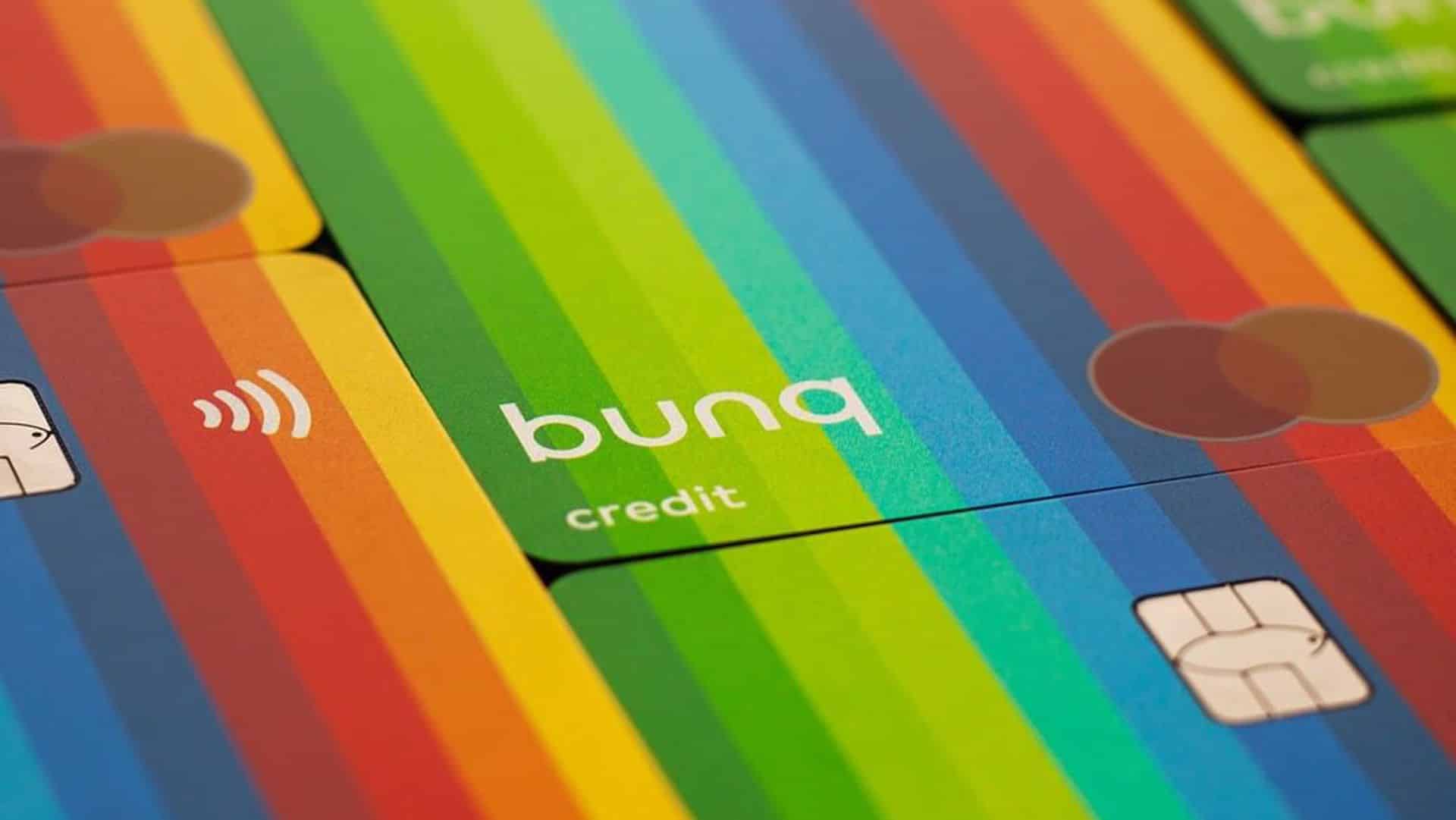
bunq bank account europe

Open a bunq account

bunq is a fully app-based EU bank founded in 2012 and licensed under De Nederlandsche Bank. It targets users who value automation, strong budgeting with multiple IBANs, and an eco-focused brand. Unlike e-money institutions, bunq is a licensed bank and covered by the Dutch Deposit Guarantee up to €100,000.

Company Background

  • Founded: 2012, Amsterdam.
  • License: Full EU banking license (DNB supervision).
  • Coverage: 30+ EEA countries; UK via e-money permissions.
  • Scale: Multi-billion euro deposits; rapid feature cadence.

Who bunq Is For

  • Digital nomads and frequent travelers managing multiple currencies.
  • Freelancers and entrepreneurs who want quick, flexible banking.
  • Families who benefit from shared sub-accounts and spending controls.
  • Developers who want API access and automation.
  • Eco-conscious users who value tree-planting initiatives.

Account Types & Pricing

Plan Monthly Fee Key Features
Easy Bank €2.99 Basic current account, EU IBAN, core app features
Easy Money €8.99 Multiple sub-accounts with IBANs, budgeting tools, extra cards
Easy Green €17.99 All Easy Money features + tree-planting perks + premium extras
Business (tiers) from €12.99 Multi-user, API access, bookkeeping integrations, VAT sub-accounts

Subscription model. Transparent pricing. No freemium with hidden FX spreads.

Core Features

  • Multi-IBAN sub-accounts: segment budgets, projects, and taxes.
  • Multi-currency: EUR, USD, GBP support with fair FX.
  • Cards: physical and virtual Mastercard; Apple Pay and Google Pay.
  • Automation: rules to sort income, allocate VAT, and fund goals.
  • API: public developer API for custom workflows.
  • Investing (bunq Stocks): fractional shares/ETFs from €10, simple fees.
  • Green focus: tree planting and impact tracking on Easy Green.

Business Banking

  • Multiple IBANs to separate revenue, expenses, and tax.
  • Permissions and team cards with limits per user.
  • Bookkeeping integrations and export options.
  • API hooks for invoices, reconciliations, and payouts.

Investing with bunq

  • Access US/EU stocks and selected ETFs.
  • Fractional trading from low ticket sizes.
  • Simple fee model suitable for beginners.
  • Not a pro trading platform; basic execution and analytics.

Security

  • EU bank license; Dutch Deposit Guarantee up to €100,000 per depositor.
  • Biometric login, instant card freeze, granular controls.
  • Note: bunq has faced compliance scrutiny and an AML-related fine; the bank disputes aspects of this. Keep a backup account as standard best practice.

Crypto

You can buy/sell from the Crypto tab in the bunq app. Fees start at 0.25% per trade. Coverage is via Kraken infrastructure.

They also rolled out EU-wide flexible staking (no lockups) with advertised yields up to ~10% APR.

Customer Experience

Strengths: polished app, real-time notifications, budget clarity, automation, clear pricing.

Weaknesses: reports of slow support, occasional freezes, limited help in fraud disputes.

bunq vs Competitors

  • vs Revolut: Revolut excels in trading/crypto. bunq offers a full EU bank license and stronger multi-IBAN budgeting.
  • vs Wise: Wise is best for international transfers. bunq is better as a primary current account with automation.
  • vs N26: N26 has strong presence in DE/ES. bunq pushes faster on features and developer tooling.

Pros & Cons

Pros

  • Licensed EU bank, deposit protection.
  • Multi-IBAN sub-accounts for precise budgeting.
  • Open API and automation.
  • Eco features with Easy Green.
  • Entry-level investing access.

Cons

  • Subscription costs higher than some rivals.
  • Mixed support reputation; compliance scrutiny.
  • Best experience within the EEA footprint.

Conclusion

bunq is a strong pick for international users, freelancers, and small businesses who value automation and budgeting clarity. Pricing is not the lowest, but the toolset—multi-IBANs, API, rules, and green options—justifies it for many. Use bunq as a core account and keep a secondary option for redundancy.

Try bunq today


FAQ

Is bunq a real bank?

Yes. bunq operates with an EU banking license under the Dutch central bank (DNB). Eligible deposits are protected up to €100,000.

Does bunq work in Spain and across the EEA?

Yes. bunq serves most EEA countries. You get a European IBAN and can spend globally with Mastercard.

Can bunq replace my traditional bank?

For many users, yes. You can receive salary, set up direct debits, and manage savings and budgets. Keep a backup account for resilience.

How good are bunq’s exchange rates?

Rates are competitive and transparent. There is no freemium cross-subsidy via hidden FX spreads. Check current plan terms for precise fees.

Is bunq safe?

bunq includes standard security features and is covered by the Dutch Deposit Guarantee. Like any bank, it faces regulatory oversight. Maintain good account hygiene and a secondary account.

Does bunq support Apple Pay and Google Pay?

Yes. You can add bunq cards to Apple Pay and Google Pay in supported regions.

What’s special about bunq for businesses?

Multi-IBAN sub-accounts, VAT allocation, permissions, team cards, exports, and a public API for automation.

Does bunq offer investing?

Yes. bunq Stocks provides fractional access to selected US/EU shares and ETFs. It is designed for simple, long-term investing rather than active trading.

Filed under: Banking, Money

Paying in Foreign Currencies: Best Practices to Save on Fees
Published: September 10, 2025Leave a Comment

Traveling abroad or shopping online often means dealing with currencies that are different from your home country’s. While this may seem straightforward—your card gets charged, and your bank handles the rest—the reality is that small decisions at the checkout can save (or cost) you significant amounts over time.

Whether you’re exploring a new country or purchasing from a foreign website like Amazon.co.uk while living in the Eurozone, the following tips will help you avoid hidden fees, unfair exchange rates, and unnecessary charges.

1. Use a Modern Multi-Currency Card

Traditional banks typically charge a currency conversion fee of 2–3% on every foreign transaction, on top of using their own less favorable exchange rates. Over a holiday or a year of online shopping, this adds up.

Cards like bunq solve this problem by:

  • Offering real-time exchange rates that are close to interbank levels.
  • Charging no hidden fees on everyday purchases.
  • Allowing you to hold and exchange multiple currencies directly in the app.

If you travel regularly or shop internationally, using a modern card like bunq should be your default choice.

2. Always Pay in the Local Currency

When offered the option to pay in your home currency or the local currency, always choose the local currency.

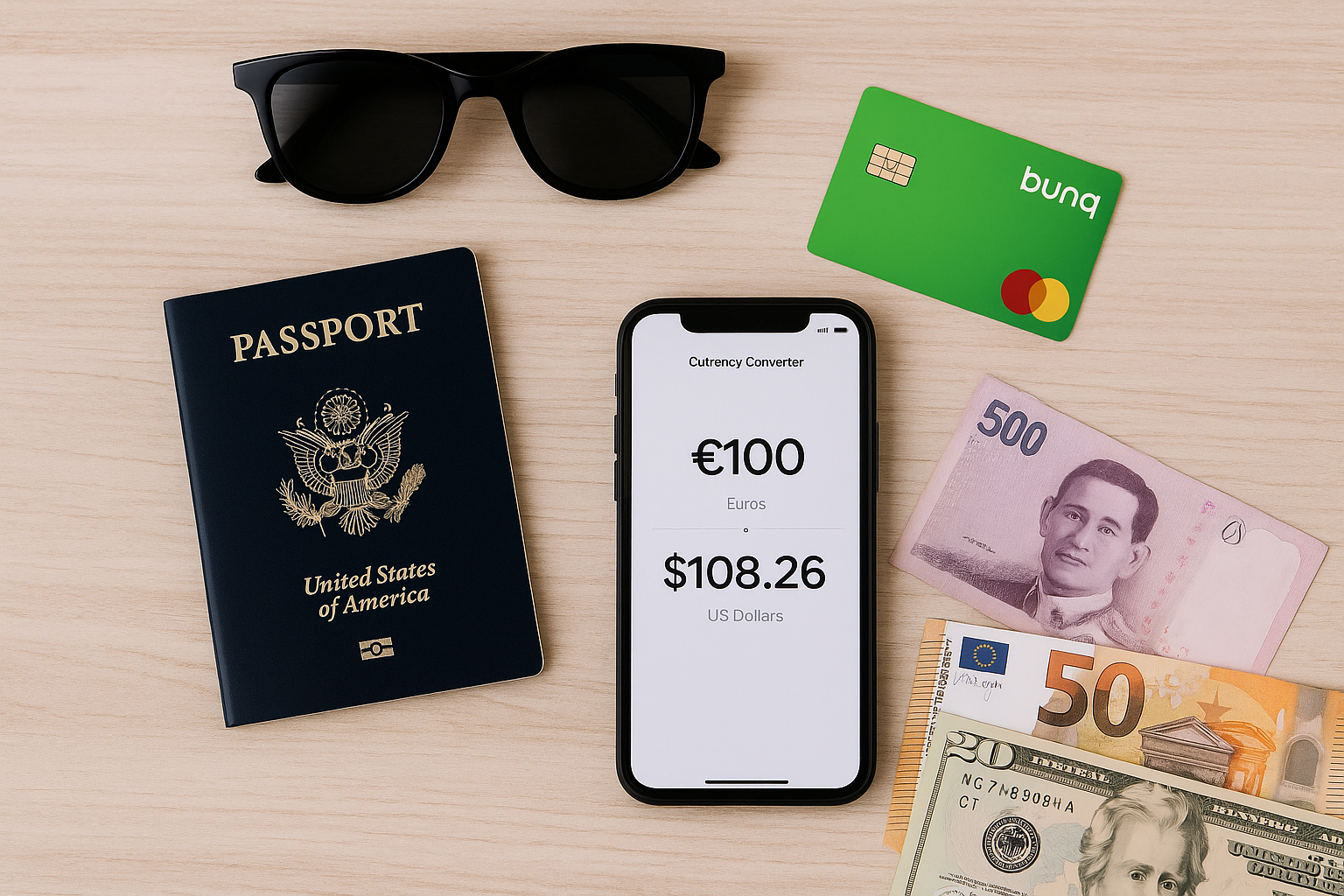
Many merchants and ATMs use a system called Dynamic Currency Conversion (DCC). At first, it looks helpful—you see the amount in your familiar home currency. But behind the scenes, the provider applies its own inflated exchange rate, often adding 4–5% on top of your purchase.

Example:

  • Paying €100 worth of goods in Thailand using DCC could cost you €105–€106.
  • Paying in Thai Baht and letting bunq handle the conversion would give you the fairer rate.

Rule of thumb: Local currency always wins.

3. ATM Withdrawals: Choose Checking or Savings

When withdrawing money abroad, some ATMs ask whether to charge your credit, checking, or savings account. Choose either checking or savings. Selecting “credit” may result in additional fees or failed withdrawals.

Also remember:

  • ATM prompt with conversion vs. without conversion → Always choose without conversion. Otherwise, you fall into the same DCC trap described above.

4. Know Your Card’s Limits and Markups

While bunq gives you flexibility with multiple currencies, it’s important to know the conditions that apply:

  • Some plans include free ATM withdrawals up to a limit; beyond that, a small fee applies.
  • Currency conversion is generally done at live rates with no added spread, though bunq may pass on a minor markup for less liquid currencies.
  • As with most providers, weekend or off-market conversions may come with a small buffer to protect against volatility when Forex markets are closed.

To maximize savings, exchange during weekdays if you know you’ll need cash abroad.

5. Watch Out for Hidden Fees in Online Shopping

Shopping from foreign websites comes with the same pitfalls:

  • Always pay in the website’s native currency instead of converting to yours at checkout.
  • Check if your card provider charges international processing fees (bunq plans do not, unlike many traditional banks).
  • For recurring purchases (e.g., subscriptions), make sure the correct currency is set from the start to avoid repeated conversion charges.

6. Optimize Subscriptions and Recurring Payments

Streaming platforms, software subscriptions, and cloud services often price differently depending on the billing country. Paying in the service’s native currency with bunq avoids repeated conversion fees. In some cases, you may even benefit from lower regional pricing, provided the service allows it.

7. Pre-Load and Budget in Foreign Currencies

If you know you’ll spend in USD, GBP, or other currencies, bunq lets you hold balances in those currencies. You can top up when rates are favorable and then spend directly from that balance abroad. This not only avoids conversion surprises but also doubles as a budgeting tool, since you can cap your spend in advance.

8. Use FX Alerts and Automation

Exchange rates fluctuate daily, and if you have predictable foreign expenses—like rent, tuition, or freelancer payments—you can save by converting at the right time. Bunq allows you to set rate alerts or automate conversions when rates hit your preferred target. This feature effectively gives you a lightweight hedging tool without needing a broker account.

9. Extra Tips to Save More

  • Withdraw larger amounts at once rather than many small ATM withdrawals, to minimize per-transaction fees.
  • Use local cash sparingly if digital payments are widely accepted—contactless payments with a no-fee card are often safer and cheaper.
  • Keep a backup card in case your primary one is declined, especially in regions with less reliable banking infrastructure.
  • Check your app notifications after each transaction to ensure you were charged the correct amount.

Final Thoughts

Foreign currency transactions don’t have to be confusing or costly. By sticking to a few simple rules—use the right card, always pay in local currency, avoid DCC, pre-load foreign balances when possible, and understand your provider’s limits—you can save money and avoid unpleasant surprises.

If you want the simplest way to manage all of this, bunq is one of the best options available today. It’s built for travelers, online shoppers, and anyone who deals with multiple currencies regularly.

The next time you’re abroad or shopping online, follow these tips and keep more money in your pocket rather than handing it to banks and ATM providers.

Do you have other tried-and-tested strategies for saving money on foreign transactions? Share them in the comments below.

Filed under: Banking, Money

How to Withdraw Money from PayPal Without Losing on Currency Conversion (2026 Guide)

Last updated: March 11, 20263 Comments


PayPal logo
PayPal is one of the most widely used payment processors in the world, especially for freelancers, e-commerce businesses, and creators. But when it comes to withdrawing money—particularly in USD from European PayPal accounts—things get complicated quickly. PayPal’s default behavior is to convert your balance into your local currency (usually EUR) before withdrawing, and their exchange rates are notoriously unfavorable.
In this updated guide, I’ll show you the most efficient ways to withdraw your funds while minimizing or avoiding unnecessary fees and bad conversion rates.

🔄 2025 PayPal Withdrawal Update

  • ✅ USD withdrawals to Visa cards (e.g., Wise, Revolut) are now more widely supported
  • ✅ Limits of $2,000–$3,000 per transaction depending on account and card
  • ✅ Flat $2.50 fee, no PayPal FX — your bank converts
  • ❌ Still no USD bank withdrawals to EU-based USD accounts (unless PayPal treats them as US)

💸 Updated PayPal Withdrawal Comparison (2025)

Method Currency Received FX Rate Fee Limit
Visa debit card (Wise) USD Bank conversion $2.50 $3,000/tx
Visa debit card (Revolut) USD Bank conversion $2.50 $2,500/tx
Bank account (EUR) EUR PayPal FX (poor) Free High

Withdrawing to a Debit or Credit Card

This is currently the best way to keep your funds in USD when withdrawing from a European PayPal account. If your Visa card supports USD (like those from Wise or Revolut), PayPal can send the funds directly without converting them to EUR. Your bank will then handle the currency conversion, often at a better rate than PayPal’s.

There is a flat $2.50 fee per withdrawal. While the traditional limit was $2,500, recent data shows that some users are able to withdraw up to $10,000 per transaction depending on the card and PayPal account history.

In my experience, for Revolut you need to set the withdrawal amount to $1,999 as a maximum. Anything beyond that and PayPal will throw an error. However, you can make two $1,999 withdrawals per day, bringing the total withdrawal to Revolut per day maximum to around $4k.

Withdrawing to a Local EUR Bank Account

This option allows for high-limit or even unlimited withdrawals, but comes with a big drawback: PayPal will automatically convert USD to EUR using their internal exchange rate, which includes a hidden margin of around 3–4%. This can result in hundreds or thousands of euros lost on large transfers.

What About USD Bank Accounts in Europe?

Even if your bank provides a USD account, PayPal will often still convert to EUR before sending, unless the account is registered as a U.S. bank (such as through Payoneer or Wise US routing). I’ve been able to add a USD-denominated account manually to my PayPal business profile, but this is an exception, not the rule.

My Recommended Approach

Given all the above, my personal strategy in 2025 is:

  • ✅ For amounts up to $3,000: use Wise or Revolut USD Visa for instant transfer in USD
  • ✅ For larger amounts: use my BoV Visa (Maltese bank) card, receive USD, let BoV handle the FX
  • ❌ Avoid PayPal’s bank withdrawals unless I’m okay with their FX hit

If your setup supports it, this combination gives you fast access to funds, better control over exchange rates, and avoids the massive hidden fees that plague most non-US PayPal users.

Let me know in the comments if you’ve tested another setup or found a better route — I’m always looking to update this article with verified options.

Filed under: Banking, Money

Why I Got My Child a Revolut Junior Account
Published: July 25, 2025Leave a Comment

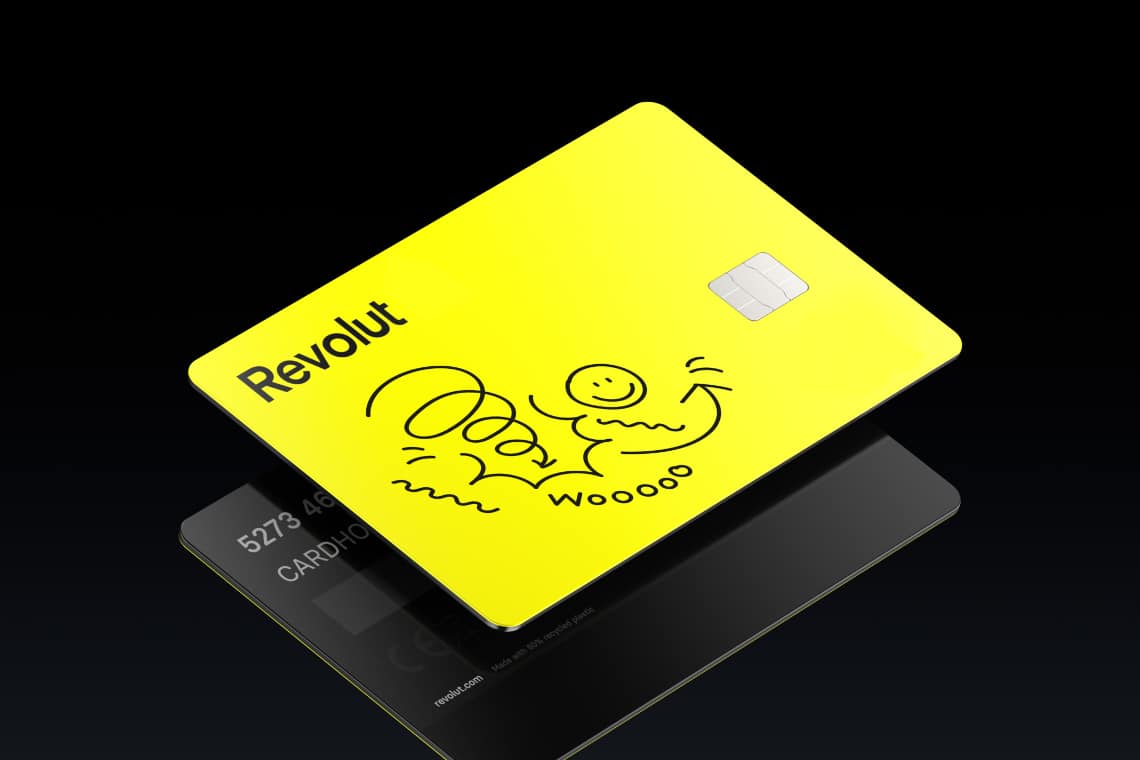
Revolut junior

As parents, we want to give our kids the best shot at a successful future. For me, that includes teaching them how money works—not just how to spend it, but how to think about it. I recently opened a Revolut Junior account for my son, and it’s been an eye-opening experience—for both of us.

A Better Way to Learn About Money

When I was growing up, money was a limitation. We didn’t have much, and that naturally shaped our values. For many in my generation, “No, we can’t afford that” was a daily reality. That’s no longer the case for a lot of families in Europe today—including mine.

That’s a good thing—but it also means our children may grow up with no understanding of what things are worth. They might hear “yes” more often than “no,” simply because we can now afford what our parents couldn’t.

This is why I wanted to introduce financial literacy early, before habits form and before money becomes just something that “comes out of the card.”

Weekly Allowance: No Strings Attached

Right now, my son receives €10 per week. It’s not tied to chores. It’s not a reward system. It’s a tool. The goal is to help him learn to make small decisions, evaluate trade-offs, and feel the impact of running out of money.

One friend in our GLC community joked: “a kind of universal basic income, then?” I get the humor—but the point is to separate money from obedience. I’m not paying him to exist. I’m helping him build a relationship with money.

We’ll probably introduce earning opportunities in the future, but they won’t be the usual “take the trash out” jobs. Instead, we’ll look for creative or productive projects where he can add real value and learn the power of entrepreneurial thinking.

The Fun Side: Customizing the Card

One of the unexpected highlights was customizing the card together. We picked the design, added his name, and made it feel uniquely his. That small interaction gave him ownership and pride.

When the card arrived in the mail, it was a big moment. Kids almost never receive traditional post anymore, so that envelope with his name on it made the whole thing tangible and memorable. It gave him a sense of responsibility and excitement about using it.

What Revolut Junior Gets Right

  • ✅ A prepaid card linked to your Revolut account
  • ✅ Full parental control with instant notifications
  • ✅ A fun, simple app interface designed for kids
  • ✅ Built-in tools for savings goals, tasks, and allowance
  • ✅ Card customization that makes it feel personal

It’s also ideal for travel and online purchases—no more sharing your own card or handing over cash in unfamiliar currencies.

Looking Ahead: Financial Confidence

At the moment, my son is already curious about investing. He can read a stock chart and tell me what’s happening—though of course it’s too early for him to invest responsibly. But that curiosity is the seed that leads to long-term understanding.

Many of us were never taught the difference between an object’s price and its value. With tools like Revolut Junior, we can help our kids build that distinction from the start and grow into financially confident adults.

Want to Get Started?

Revolut makes it easy to open a Junior account—even on the free Standard plan, you can create one child account and start introducing financial education right away.

If you want access to additional features like savings goals, tasks, multiple child accounts, and priority support, you can always upgrade to a Premium or Metal plan later on.

👉 Click here to sign up for Revolut using my affiliate link.

It’s free to get started, and helps support the blog. Thanks!

Filed under: Banking, Money

  • 1
  • 2
  • 3
  • 4
  • Next Page »

Latest Padel Match

Jean Galea

Investor | Dad | Global Citizen | Athlete

Follow @jeangalea

  • My Padel Experience
  • Affiliate Disclaimer
  • Cookies
  • Contact

Copyright © 2006 - 2026 · Hosted at Kinsta · Built on the Genesis Framework