Fax machines should have died years ago, but some businesses, government offices, and institutions still require faxed documents. If you need to send or receive a fax and don’t have a fax machine (like most people in 2026), online fax services solve the problem cheaply or for free.
Best Online Fax Services
Fax.Plus — Best Overall
Fax.Plus is the most reliable online fax service I’ve found. It’s based in Switzerland, works worldwide, and has a clean interface.
- Free tier: 10 pages for free (one-time, not monthly)
- Paid plans: Start at $6.99/month for 200 pages
- Send and receive: Both supported
- Upload from: Computer, Google Drive, Dropbox, OneDrive
- Apps: Web, iOS, Android
For occasional use, the free tier is enough to get a document sent. For regular use, the paid plans are reasonable.
eFax
eFax is one of the oldest online fax services and is widely supported. Plans start at around $16.95/month, which makes it more expensive than Fax.Plus but it’s well-established and trusted by businesses. No free tier available.
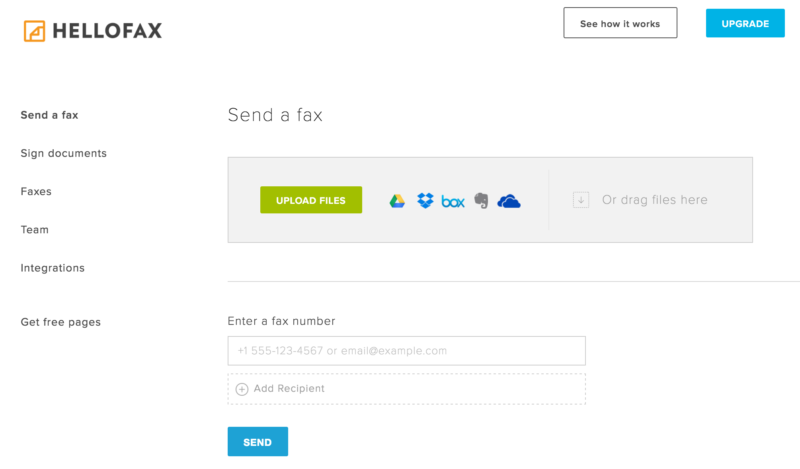
HelloFax (now Dropbox Fax)
HelloFax was rebranded as part of Dropbox’s product suite. If you already have a Dropbox account, this integrates neatly. However, the free tier has become more restrictive over the years, and the pricing has changed since the acquisition. Check current terms before signing up.
How It Works
The process is simple regardless of which service you use:
- Sign up for an account on the fax service website
- Upload the document you want to fax (PDF, Word, or image files)
- Enter the recipient’s fax number
- Hit send — the service converts your document and sends it as a fax
To receive faxes, most services give you a dedicated fax number. Incoming faxes arrive as PDF attachments in your email. Some services offer free receiving numbers (usually temporary), while others require a paid plan.
Tips
- Include a cover page. Many institutions expect a fax cover page with the recipient’s name and department. Most online fax services let you add one automatically.
- Check the country code. International faxing works, but make sure you include the correct country code.
- Save the confirmation. Online fax services provide a delivery confirmation — keep it as proof that you sent the document.
- PDF is best. Upload your documents as PDFs for the cleanest results. Word documents and images sometimes lose formatting during conversion.
For most people, Fax.Plus with its free tier is the easiest way to handle the occasional fax requirement without any commitment.
Related






I would also recommend eComfax virtual fax service: https://www.ecomfax.com/
I would also recommend WiseFax online fax service (https://www.wisefax.com/send/). It is very easy to use, allows you to fill-in the document (inserting text, signature etc.), you can send faxes worldwide and there is no subscription needed as this is a pay-as-you-go service.
+1 WiseFax fan! Well, it is not free service but pay-as-you-go. In my opinion it is hard to say that any of free online fax services are straightly “free” …
FaxBurner only gives a phone number that is good for 24 hours.
Love it!