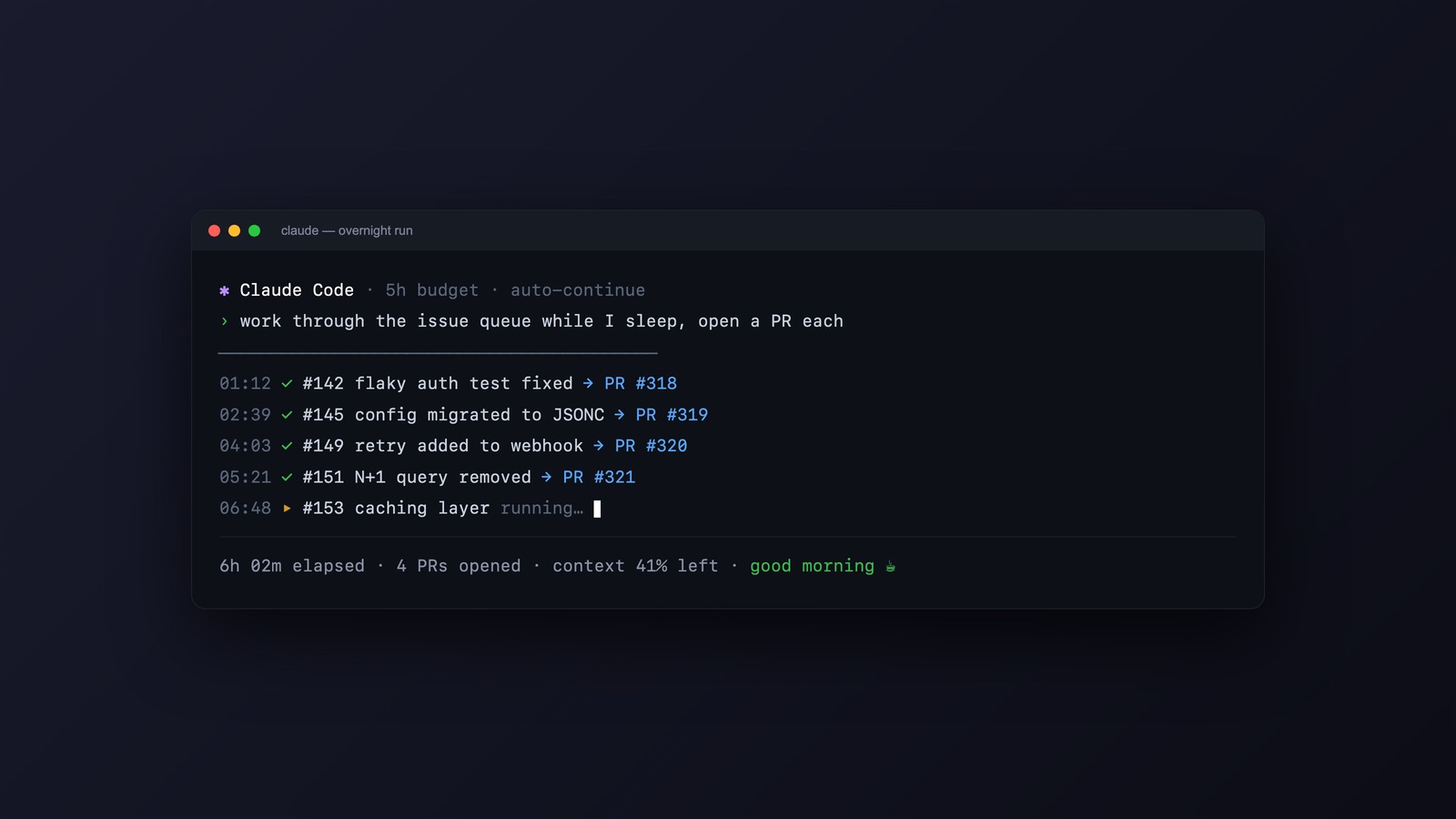
Most subscription plans for AI coding tools meter you on a rolling window. On Claude Code, that window is five hours: you get an allowance, it refills, and whatever you didn’t use is gone when the next window starts. There’s also a weekly ceiling on top.
Overnight, you sleep for seven or eight hours. During that time your usage window resets once or twice, fully, and you use none of it. That capacity isn’t banked. It evaporates.
So I started handing Claude Code a queue of work before bed and reading the results over coffee. The machine runs the jobs, I review them in the morning. Here is the exact setup, and the parts where it can bite you.
The idea in one line
Keep the Mac awake, run Claude Code in headless mode against a list of well-scoped tasks, log everything, and review the output when you wake up.
It takes three pieces: a way to stop the laptop sleeping, Claude Code’s non-interactive mode, and a short script that walks a queue. None of it is exotic.
Keep the machine awake
macOS ships with caffeinate. Prefix any command with it and the system won’t idle-sleep while that command runs:
caffeinate -i bash ~/night-shift/night-shift.shThe -i flag prevents idle sleep. The script runs to completion, then caffeinate exits and the Mac is free to sleep normally.
One real constraint: on Apple Silicon, closing the lid sleeps the machine no matter what caffeinate says. So leave the lid open and stay on power. A laptop open on the desk overnight is the price of admission.
Run Claude Code headless
The interactive session you normally use has a one-shot sibling. claude -p "your prompt" runs the prompt, prints the result, and exits. It uses your logged-in subscription, so no API key is involved, and it draws from the same usage window your interactive sessions do.
The flags that matter for an unattended run:
claude -p "Add unit tests for the auth module. Work on a branch called night/auth-tests and commit there. Don't push." \
  --model opus \
  --allowedTools "Read Edit Write Grep Glob Bash(npm test)" \
  --max-budget-usd 5 \
  > ~/night-shift/logs/auth-tests.log 2>&1
--model opus picks the strongest model, since you’re not paying attention to latency at 3am and you want the best work it can do. --allowedTools is the safety latch: it whitelists exactly what the agent may touch, so a job scoped to read, edit, and run tests can’t suddenly start deleting things or making network calls. --max-budget-usd sets a hard ceiling (it matters most if you’re on API billing rather than a subscription, but it’s a sane guardrail either way). The redirect sends everything to a log file you read later.
If you’d rather not maintain an allowlist, the blunt alternative is --permission-mode bypassPermissions, which skips every permission check. Only do that inside a directory you trust completely, ideally a throwaway git worktree, because there’s no human to catch a bad call. Claude Code’s own help text says as much: non-interactive mode skips the trust dialog, so only point it at directories you trust.
A cleaner version of the same idea is to isolate each coding job in its own worktree with the -w flag, so overnight changes never land in your working tree and you review them as a clean diff in the morning.
The queue script
Here’s a night-shift.sh that runs jobs one after another, logs each, and timestamps the start and end so you can see what happened while you were out:
#!/usr/bin/env bash
# Work through a queue of Claude Code jobs while you sleep.
set -uo pipefail

ROOT="$HOME/night-shift"
LOGS="$ROOT/logs/$(date +%F)"
mkdir -p "$LOGS"

job () {
  name="$1"; dir="$2"; prompt="$3"
  echo "[$(date +%H:%M)] start $name"
  ( cd "$dir" && claude -p "$prompt" \
      --model opus \
      --allowedTools "Read Edit Write Grep Glob Bash" \
      --max-budget-usd 5 ) > "$LOGS/$name.log" 2>&1
  echo "[$(date +%H:%M)] done  $name"
}

job "market-brief" "$HOME/research" \
  "Research the EU market for personal finance newsletters using web search. \
   Write a sourced brief to brief.md. Touch nothing else."

job "auth-tests" "$HOME/code/myapp" \
  "Add unit tests for the auth module. Create a branch night/auth-tests, \
   commit there, don't push."

job "dep-audit" "$HOME/code/myapp" \
  "List outdated dependencies, check each changelog for breaking changes, \
   write findings to UPGRADE-NOTES.md. Don't change any code."

echo "[$(date +%H:%M)] queue complete"
Run the jobs sequentially rather than in parallel. One stream is easier to reason about, the logs stay clean, and you won’t trip rate limits firing five heavy jobs at once. Launch it before bed:
caffeinate -i bash ~/night-shift/night-shift.shYou can wire this to launchd or cron to start at a fixed hour, but scheduled jobs on a Mac get awkward fast with GUI auth and wake timers. Launching it by hand when you close the lid is more reliable and takes five seconds.
What’s actually worth queuing
The jobs that pay off overnight share a shape: tightly scoped, and easy to judge in the morning without reconstructing what happened. Some that have earned their place for me:
- A research brief on a decision I’m chewing on, written to a file with sources.
- Test coverage for a module, committed to a branch I review as a diff.
- A dependency-upgrade audit: what’s outdated, what breaks, written up without touching code.
- A first draft of something, a post outline, a spec, a comparison, that I’ll rewrite anyway but would rather edit than start cold.
The common thread is that I wake up to an artifact I can judge in a minute, a file or a branch, rather than a half-finished state I have to reconstruct.
Write each job like a handoff
The one-line prompts in that script are fine for a tight job. For anything with room to wander, the prompt itself decides whether you wake up to finished work or a job that stalled at 1am on the first ambiguity. So I write it the way I’d brief a capable person taking over while I’m gone: what done looks like, the context they need, and what to do when they get stuck, because I won’t be around to ask.
This is the template I hand any job bigger than a one-liner:
I'm handing you this task to run unsupervised overnight: [the task].

Done means: [the specific, checkable end state].

Context you'll need: [repo, files, access, constraints].

Work to completion. If you hit a blocker, don't stop. Use a mock, a stub,
or a documented assumption and keep going on everything that doesn't need
my decision. When you have to assume something, rank it by how expensive
it would be to get wrong, so I can scan the risky calls first.

By morning, leave me a short report:
1. What you finished.
2. What you worked around, and why.
3. What's waiting on a decision from me, riskiest first.
4. The evidence it works: test output, a command transcript, a screenshot
   of the thing running. Your own "it works" doesn't count.
Two lines do most of the work. The blocker rule, use a mock or a documented assumption and keep going, is what separates a useful night from a job that halts early and burns the window doing nothing. The evidence line guards the opposite failure: an agent that reports success it never checked. A claim that it works isn’t proof, which is why the morning review reads the proof instead of taking its word.
Where it bites
This is autonomy with nobody watching, so the failure modes are real and worth respecting.
The honest cost first: that overnight capacity is only “free” against the five-hour window. The weekly ceiling is still finite, and a few heavy nights will eat into it, which can leave you throttled during the day when you actually need it. Reclaiming idle windows is a real gain, but it isn’t infinite, so don’t run a marathon every night and act surprised when daytime slows down. If you’re on API billing instead of a subscription, there’s nothing idle to reclaim at all: every overnight token is money, and --max-budget-usd is doing real work.
The safety rules I don’t break:
- Scope the tools. An allowlist or a worktree, every time. Never give an unattended job the ability to push, deploy, send, or delete.
- Keep it sandboxed. Point jobs at branches, worktrees, or research folders, never at production or anything live.
- Treat every output as a draft. The morning review is not optional. Some nights a job goes sideways and produces confident nonsense, and the whole point is that you catch it before it matters.
Things that need a judgment call partway through, or that reach outside the machine, don’t belong on the night shift. Those stay with you, awake.
The morning after
The version that works is unglamorous: a folder of logs, a couple of branches, a brief or two, waiting when you sit down. Some of it is good. Some of it gets thrown away. The math still works, because the capacity it ran on was going to disappear anyway, and editing a draft beats facing a blank file at 9am.
You were asleep and the window refilled anyway. This time you used it.
Related






Leave a Reply