Jean Galea

Health, Wealth, Relationships, Wisdom

  • Start Here
  • Guides
    • Beginner?s Guide to Investing
    • Cryptocurrencies
    • Stocks
    • P2P Lending
    • Real Estate
    • Forex
    • CFD Trading
    • Start and Monetize a Blog
  • My Story
  • Blog
    • Cryptoassets
    • P2P Lending
    • Real estate
  • Consultancy
    • Consult with Jean
    • Consult a Lawyer on Taxation and Corporate Setups
    • AI Consultancy for Business
  • Podcast
  • Search

Best Mobile Apps To Use in Barcelona (includes Discount Coupon Codes)

Last updated: September 05, 20231 Comment

Living in Barcelona is an absolute blast, and these mobile apps will help you get the best out of it. Most of these apps can be used by tourists visiting this city, and even other cities in Spain.

Scroll down towards the end of the post to get all the discounts and coupons to use when signing up for these services.

Food & Beverage

  • Tripadvisor / Restaurant Guru / El Tenedor – Find the best restaurants and cafes.

Deliveries

  • Glovo – Delivery of anything you fancy.

Transport

  • FreeNow – Cab hailing.
  • Yego / eCooltra / Acciona – Scooter rental on demand. Scoot also rents e-bikes.
  • Bicing – Bike rental on-demand.
  • ParkMe – Find parking spaces and show prices of car parks.
  • ElParking – Find parking spaces.
  • Parkapp – Book parking spaces.
  • Parclick – Cheaper parking.
  • Bip&Drive – Easier and faster passage through toll road booths and parkings.
  • Komoot – Directions for biking around town, I use it on my Apple Watch.

Accommodation

  • Airbnb – Apartment and room rental.
  • Badi – Find rooms for hire / rent out a room in your apartment.
  • Booking – Best app for booking short-term stays worldwide

Banking

  • N26 – The only bank account you’ll ever need.
  • Revolut – Online bank.

Wellness

  • Bucmi / Treatwell – Find and book wellness services.

Social

  • Meetup – Find like-minded people to hang out with, participate in sports activities, excursions, you name it!
  • Internations – Meet people wherever you are.

Other

  • CallBlocker – A product from ListaSpam that blocks incoming spam calls.
  • Mr Number – another similar app

[wp_coupons limit=”48″ type=”barcelona” nav=”false”]
Filed under: Expat life

Best Scooter and Car Sharing Apps in Barcelona, Spain

Last updated: March 11, 20268 Comments

If you are staying in Barcelona for a few months, or have moved there permanently (great decision!), you probably know that transportation options abound. You have the metro, bicycles, buses and of course, you can always opt to walk around.

However, Barcelona is also the city with the biggest density of scooters in Europe. You’ll hear and see them everywhere. They are definitely the fastest way to get around town, so I was really happy when scooter sharing apps started appearing recently. Moreover, there are now various ways to use a car without actually owning one.

Make sure you check out my page with coupons for apps to use in Barcelona!

In this post, I will share my experience with the two leading scooter sharing apps, as well as the car sharing platforms. Not everyone likes riding scooters, and sometimes it’s just necessary to use a car (baby in tow anyone?).

Alright, let’s start with the scooters. There are three major platforms you can use: Yego, eCooltra and Acciona.

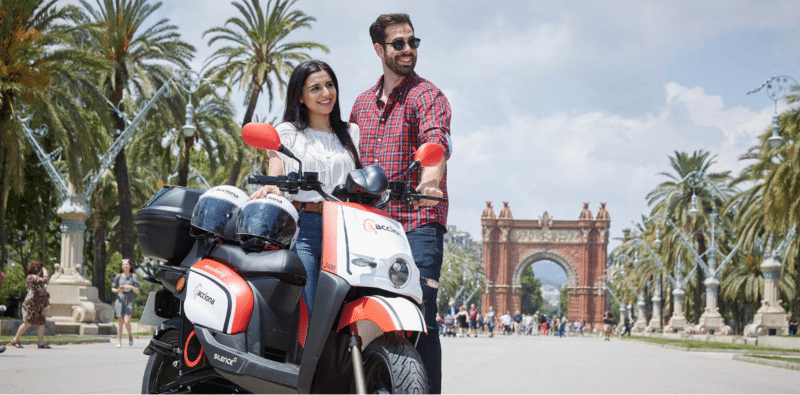
Acciona

Acciona motosharing is not only available in Barcelona but also in other Spanish cities like Madrid, Valencia, Sevilla and Lisboa in Portugal. That means you can use your account in various cities without needing to sign up to another service, which is very hand if you travel to and from these cities.

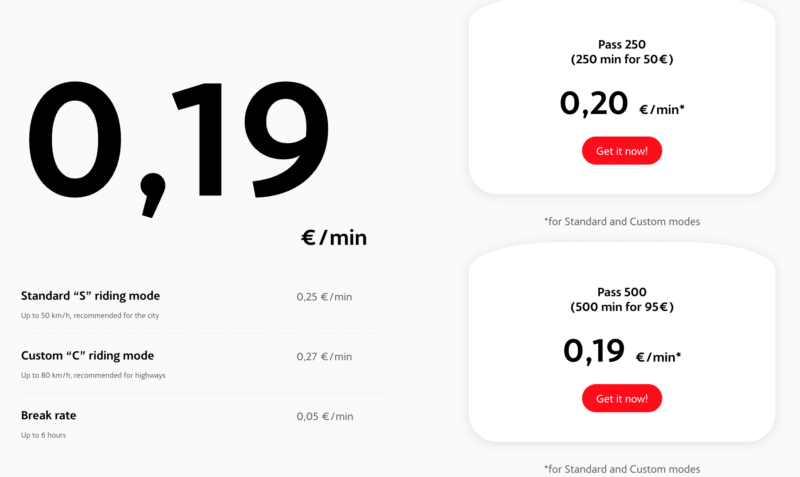
acciona motosharing prices

Acciona is the newest service to land in Barcelona and is definitely the best one at the moment.

They have started operating in 2019, and have the best technology overall, with a nice website and easy-to-use app that works perfectly.

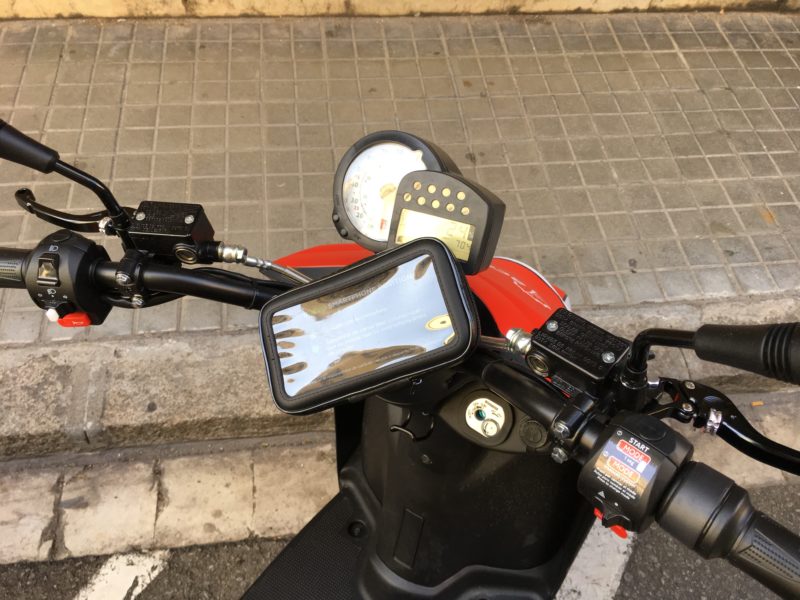
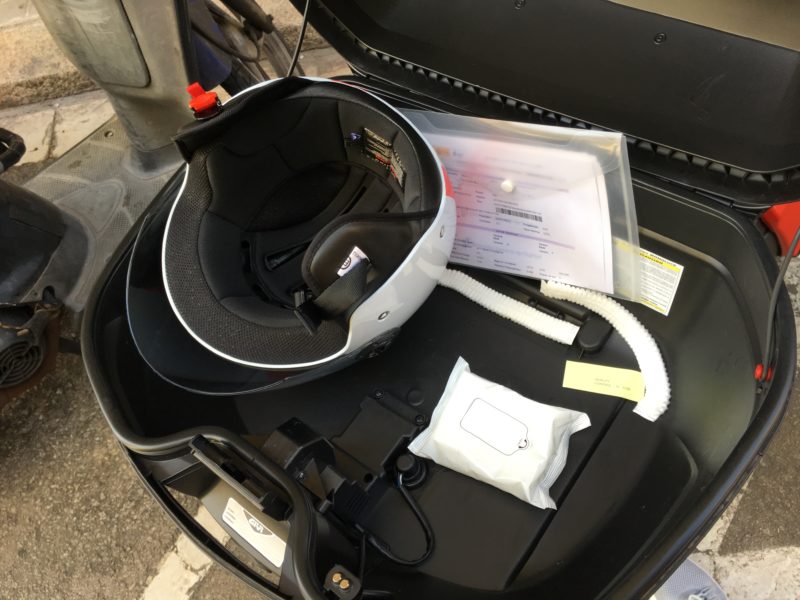
While having the advantage of driving the newest scooters in the city, you also benefit from features such as a mobile phone holder, so you can put in your phone and use Google Maps to get you to your destination, as well as a convenient packet of wet wipes in the helmet box that you can use to wipe the seat before you hop on.

What I love about it is that you have the custom “C” riding mode which allows speeds of 80km/h, making these scooters save to drive on the highways. Whenever I tried taking scooters from Yego, eCooltra or Scoot on the highway it always was a bad experience as you end up being slower than the rest of the traffic and makes things unnecessarily dangerous.

Thus I had been stuck to driving within the city even though sometimes it’s much better traffic-wise to take one of the cities rondas to get to the other side of the city. This problem is now thankfully solved thanks to Acciona’s scooters.

Get 30 minutes free on Acciona with the code SUD67888

YEGO

Yego is one of the best scooter-sharing services in Barcelona. They are doing very well and the number of scooters is always on the increase. Their web and mobile interfaces are modern and easy to use. Many of my friends have switched to using Yego from eCooltra.

However, as of 2019, they are definitely being beaten by both Scoot and Acciona in terms of scooter quality.

You are fully covered by the insurance for damages against third parties. For damages caused to the scooter, or theft of the scooter, the insurance reduces the amount to be paid to an excess – in a case of compliance with the rental agreement. There is also the possibility to get an excess reduction for your scooter insurance.

The insurance which is already included in the rental price covers third party damages. Additionally, it is also included road assistance inside specific radius outside the shop. The damages on the scooter or theft are covered with the excess of 500€. All the accessories (helmets, top case, GPS, gloves, lock etc.) are not covered by insurance and are paid apart in case of loss or damage. If you have an accident while driving, the insurance covers your hospitalization and that of the passenger, if need be.

Overall I like the service and wish that all scooters were electric. Barcelona is a very noisy city and non-electric scooters and motorcycles are a major noise pollutant.

In 2019 Yego has also added very cool electric bikes to their offering.

Join me on YEGO and get 30 minutes for free!

eCooltra

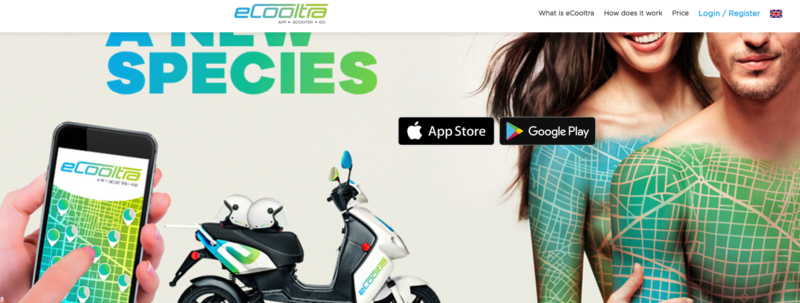
eCooltra is an app with the largest fleet of electric scooters per minute in Europe, with more than 1000 scooters available. eCooltra was the first on the market and has the largest coverage of Barcelona. They have electric scooters which are absolutely silent and super easy to drive.

Pricing is 0.24€/minute with an insurance excess of 500€ or 0.29€ with an insurance excess of 99€. You can choose which tariff you want to use from your user account once logged in.

The downside is that they are quite underpowered, especially with two people on board and going uphill. I would say it borders on being dangerous as the acceleration is way too low, it makes it hard to keep the balance when doing a stop and go on an uphill road. Apart from this, it’s a good service and I haven’t had any problems using it. On each scooter you have 2 helmets, sizes M and L. It might be a good idea to keep a head cover of some sort so that your hair is not directly in touch with the helmet, which would have been used by thousands of others. It’s not the most hygienic thing to do really, and that’s another downside of using a scooter sharing service, unless you have your own helmet and don’t mind carrying it around with you.

Get 30 minutes free on eCooltra with the coupon code “hdmkc”

Before we move onto car sharing, I would like to point out that the two biggest advantages, apart from price, of renting a scooter versus a car are:

  • Faster to get around town.
  • Can be left at your destination without a requirement to return them to their original location.

Moving on to car sharing, the big player in town is Ubeeqo. See the offers below to get free credit when signing up.

Ubeeqo

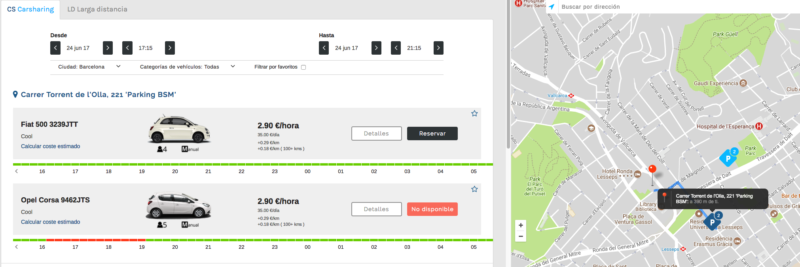
Ubeeqo’s interface is very good. In this example, I searched for a car that I could use to go for a padel match in a part of Barcelona that is not very well connected for me to go by public transport. For a four-hour trip duration and 16km of driving distance, the calculated cost is 14.50 Euro.

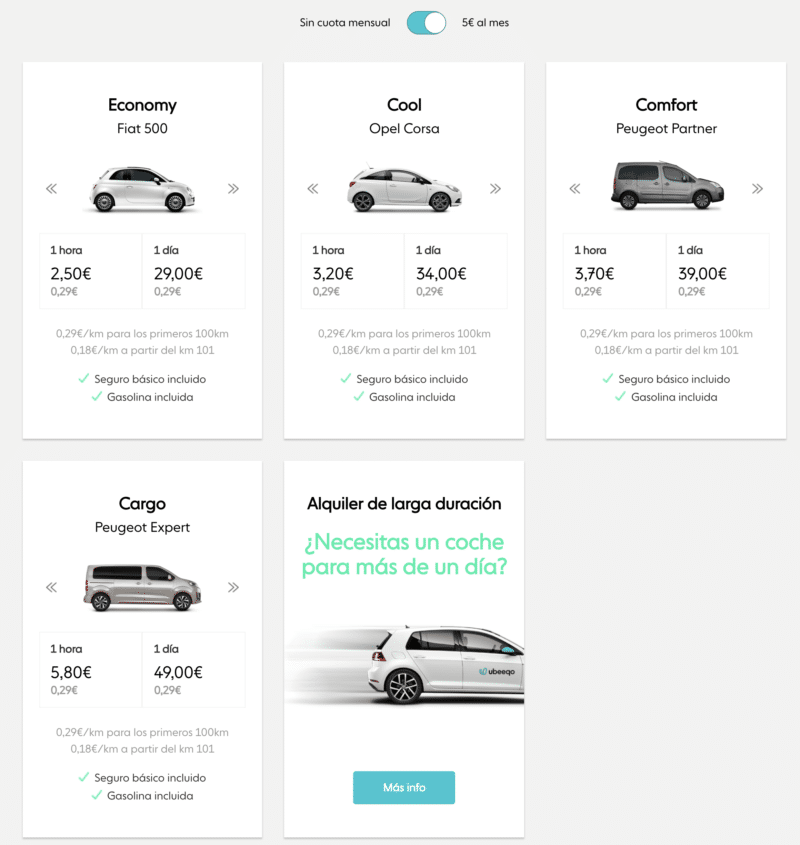
Ubeeqo has two types of memberships. The first is free and the second is 5 Euro per month (annual payment, 6.90 Euro if you do monthly payments). With the monthly payment, you get cheaper hourly and daily prices, and I would definitely recommend it if you are going to be using Ubeeqo a few times every month.

Sign up to Ubeeqo and get €15 free credit

Final Verdict – Best Scooter and Car sharing apps

My favorite car-sharing system so far is Ubeeqo.

On the scooter side, it’s definitely Acciona due to Yego and eCooltra having less powerful scooters.

Best Mobile Apps for Getting Directions and Moving Around Cities

citymapper madrid

You might think that Google Maps is the one app to go to for all your navigation needs. After some research and trial and error, however, I discovered that there are some apps that are far superior for specific things.

The apps below will help you move around cities with great ease.

Waze

This is a great app if you’re driving. It displays instructions in big and easy-to-read text so that you can just attach your phone to the car’s dashboard and drive away. Need parking? Waze will show you where the nearest one is. Running low on fuel? Waze will show you all the gas stations on the way to your destination.

Waze is definitely better than Google Maps when using your own car/motorbike in a city or using a rental car or car sharing service. As expected, Waze comes with voice instructions as well, just like Google Maps.

CityMapper

This is the app I use when I’m using alternative modes of transport such as public transport or my foldable bike. It can also combine public transport and bike, for example. Google maps will only give you directions and time estimates for, say, bus/metro + walking. CityMapper can combine bus/metro + bicycle. The difference can be pretty significant at times so with CityMapper I can plan my trips more accurately.

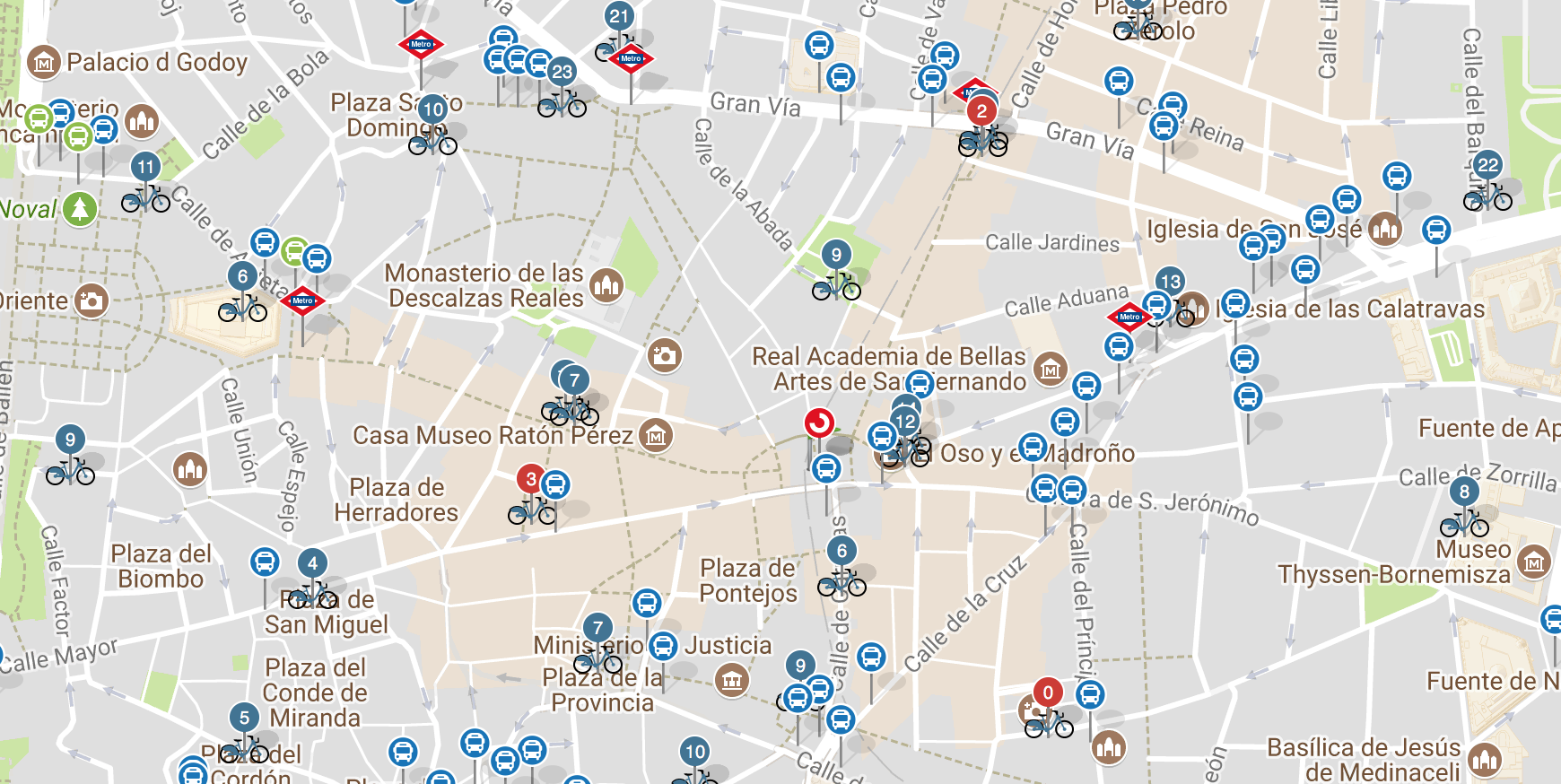
Another awesome feature is that CityMapper taps into the bikesharing system here in Barcelona, so it will calculate the time needed to walk to the nearest bike station, then from the last bike station walking to the final destination. Before you plan a route, you will need to select whether you will choose your personal bike or the bikesharing service, and CityMapper will calculate accordingly.

Sygic

I find Sygic super useful when I am running low on mobile data or am in a foreign country without a data connection.

When driving at night, I find Sygic’s heads up display to be super cool. Basically, you put your phone flat on your dashboard and it will display directions, speed etc on the windscreen just in front of you. Don’t worry it’s not distracting at all and very easy on the eyes. At night I find it better than having to glance away from the road and into a bright phone screen to get navigational information.

Hope that was useful, if you have any other tips regarding using mobile apps to get around, let me know!

Filed under: Expat life

How to Find a Coworking Space in Barcelona

Last updated: July 30, 2023Leave a Comment

Coworking spaces are a great way to get to know people and get work done, especially if you don’t have a home office and need a place where you can focus and immerse yourself in your project.

I’ve already written about the elements that make up the ideal coworking space, so armed with that knowledge, it’s time to actually find a coworking space.

Barcelona is one of the best places for coworking and digital nomads, and here are a few websites that will help you find your ideal space:

  • Coworker.com
  • Comunidadcoworking
  • Sharedesk
  • CoworkingSpain

With regards to the best areas in Barcelona to work from, I would say that Gracia is my favorite just because there is so much life in this area. It’s easy to find a coworking space there and there are a ton of coffee shops and restaurants around so you basically have everything you need to survive and have a productive day.

I’ve personally moved away from coworking spaces to a hybrid home office and club setup. The club has not only a work area but also a gym, restaurant, bar, spa and parking, so I can better optimize my time. Going to a coworking space in the past has meant that I end up losing time in commuting and making it much more of a hassle to organise my padel matches and other things I enjoy on a daily basis.

Filed under: Expat life

Division of Matrimonial Assets in Spain

Last updated: April 03, 2024Leave a Comment

matrimonial asset division spain

If you’re a foreign national living in Spain and you’re married, you should be well informed about the economic systems of marriage that exist in Spain and how they apply to you.

The basics – Two types of Spanish systems of marriage

In Spain, there are two standard economic types or systems of marriage: ‘separación de bienes’ and ‘sociedad de gananciales’.

Unless specifically chosen by way of public document signed in front of a notary, the type of marriage is determined by default and usually depends upon which autonomous community or region the couple are resident once married.

‘Separación de bienes’ is the default choice in Cataluña, Aragón, Navarra, Balearic Islands and Basque Country.

Where a couple are married under ‘separación de bienes’ then each spouse is considered to own that which they brought into the marriage i.e. owned before they were married as well as that which they have acquired during the marriage either by purchase, inheritance or gift. They may dispose freely of such goods and assets as they wish.

So, where the couple purchases an asset, say a car, and one pays 75% of the cost while the other spouse pays the remaining 25% then upon divorce they would be entitled to a percentage of the value of the car based upon the percentage that they contributed to the purchase price.

If it is not possible to determine which of the spouses is the owner of a particular asset then it is split 50-50.

‘Sociedad de gananciales’ is the default position in the remaining Spanish regions and has the effect that all goods and assets acquired during the course of the marriage and which are not considered to be ‘private’ goods, are to be considered as belonging to both spouses equally. The income and pension of either spouse may be considered to belong to the matrimonial ‘pot’.

Assets which may not form part of a matrimonial ‘pot’ are known as ‘private’. These would include the following goods:

  • Those rights and assets possessed before the marriage (even where funds considered ‘common’ to both spouses are used to pay later installments – with the exception of the matrimonial home, fixtures and fittings),
  • Those rights and assets obtained during the marriage without payment e.g. inheritances or gifts received by a particular spouse
  • Those rights and assets obtained in exchange for a private asset belonging to one of the spouses
  • Rights that may only be transmitted via inheritance
  • An award for personal damages or damages to private assets
  • Clothes and personal belongings not of ‘extraordinary’ value
  • Equipment necessary for the carrying-out of a trade or profession unless these are an integral part of a common enterprise
  • Assets acquired with an initial payment by one of the spouses even though later installments are paid using common funds.

How your foreign-registered marriage is treated

Unless specified in your marriage contract, in Catalunya the separation of property regime applies (Art. 231-10 Civil Code of Cataluña). It is governed by Art. 231-11 to 231-30 Civil Code of Cataluña.

Currently, citizens in an international marriage or registered partnership face uncertainty when managing or sharing their property in case of divorce or death. It is difficult for them to know which Member State’s courts will be competent to deal with a matter concerning their property regime, what law will apply to their property regime and how they will have a decision on their property regime issued in one Member State recognized and enforced in another Member State.

In 2011 the Commission presented two proposals to provide legal certainty to international couples with regard to the management and the sharing of their property in case of divorce/separation or the death of one of its members. One of the proposals concerned the property regimes of married couples and the other the property regimes of registered partnerships. As these proposals concerned family law, they had to be adopted by the Council by unanimity after having consulted the European Parliament. After several years of negotiations, in December 2015 the Council concluded that no unanimity could be reached for the adoption of the proposals within a reasonable period of time.

Subsequently, 18 Member States (Sweden, Belgium, Greece, Croatia, Slovenia, Spain, France, Portugal, Italy, Malta, Luxembourg, Germany, the Czech Republic, the Netherlands, Austria, Bulgaria, Finland and Cyprus) expressed their wish to establish enhanced cooperation between themselves in the area of the property regimes of international couples so as to enable Member States that so wished to adopt Union legislation in this area.

Following these requests, on 2 March 2016 the Commission adopted three proposals: one proposal for a Council decision authorising enhanced cooperation in the area of the property regimes of international couples, covering both marriages and registered partnerships, and two proposals for Council regulations implementing the enhanced cooperation, one on matrimonial property regimes and the other on the property regimes of registered partnerships.

The proposals for the two regulations contain rules to determine which Member State’s courts should deal with issues concerning the property regimes of international couples (jurisdiction), which law should apply to these matters (applicable law) and how judgments and notarial documents on these matters delivered in one Member State should be recognised and enforced in another Member State. Given that the proposed regulations deal with the management but in particular with the sharing of the international couple’s property in case of divorce/separation or the death of one of its members, these regulations are closely connected with the existing Union regulations on divorce/separation and succession.

The Commission proposals are now being examined by the Council and the European Parliament.

Property rights

New rules applying as from 29 January 2019, aim to clarify the property rights for international married couples or registered partnerships. These clear rules on divorce or separation bring an end to parallel and possibly conflicting laws, for example on property or bank accounts, in different EU countries.

Since it was not possible to agree among all 28 EU countries, 18 of them have decided to work together on this initiative and will apply these rules. These are: Belgium, Bulgaria, the Czech Republic, Germany, Greece, Spain, France, Croatia, Italy, Cyprus, Luxembourg, Malta, the Netherlands, Austria, Portugal, Slovenia, Finland and Sweden. The rest will continue to apply their respective national rules.

Full text of the two regulations

  • Regulation applying to matrimonial property matters
  • Regulation applying to property consequences of registered partnerships

These regulations will

  • allow international couples to choose the law that applies to their property in case of death or divorce.
  • enhance legal certainty for couples with an international dimension. The law of the country where the marriage was concluded or the partnership was registered applies to their property.
  • bring legal certainty for international couples through coherent rules for identifying which country’s court is responsible and which law applies.
  • increase predictability for couples through easier recognition of judgments, decisions and titles everywhere in the EU.

The regulations do not change national laws on marriage or registered partnerships.

The following Spanish law states that the property within a marriage will be governed either by the contract established by the couple at the time of their marriage. If that is not present, then it will be governed by the law of habitual residence of either, chosen at the time of marriage. If neither that is present, it will default to the law of the country where the couple was habitually resident immediately following their marriage. If that is not easily established, it will default to the place where the marriage was celebrated.

Los efectos del matrimonio se regirán por la ley personal común de los cónyuges al tiempo de contraerlo; en defecto de esta ley, por la ley personal o de la residencia habitual de cualquiera de ellos, elegida por ambos en documento auténtico otorgado antes de la celebración del matrimonio; a falta de esta elección, por la ley de la residencia habitual común inmediatamente posterior a la celebración, y, a falta de dicha residencia, por la del lugar de celebración del matrimonio.

 – (Art. 9.2 CC).

It’s also interesting to know that there are several classifications of private property, which never get shared between the couple. For example, if one person receives a donation of real estate in his/her name, that is considered as private property and therefore is not part of the communal asset pool.

More info about the topic in Spanish here and here.

Filed under: Expat life

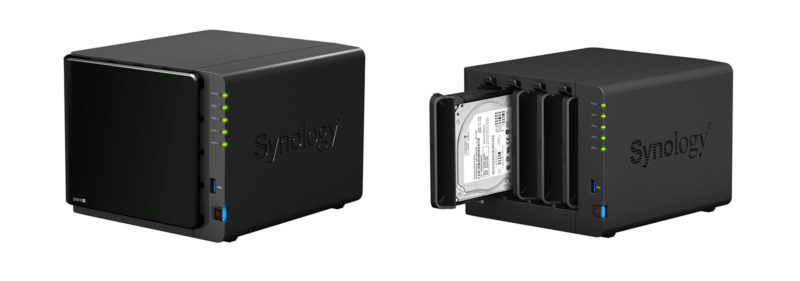
How to Secure a Synology DiskStation – A Complete Security Guide

Last updated: March 13, 20267 Comments

The Synology DiskStation is a great tool for backing up your files and acting as a central media storage device. Since it will host so much important data — family photos, documents, backups of all your devices — securing it properly is critical.

Out of the box, a Synology NAS is reasonably secure, but there are several steps you should take to harden it against both automated attacks and more targeted threats. Here’s what I recommend based on years of running my own DiskStation.

Disable the Default Admin Account

The default “admin” account is the first thing bots and attackers try. Create a new administrator account with a unique username, then disable the built-in admin account entirely. You can do this in Control Panel → User & Group → select “admin” → Edit → check “Disable this account.”

Only use the admin account for system administration through DSM. For everyday access (file sharing, media streaming), create a separate standard user account with limited permissions.

Enable Auto Block

Auto Block is Synology’s built-in brute force protection. It automatically blocks IP addresses after a specified number of failed login attempts.

Go to Control Panel → Security → Protection → Enable auto block. I use 3 failed attempts within 60 minutes as my threshold. You can also enable block expiration if you want IPs to be unblocked after a set period, but I prefer to keep blocks permanent and manually unblock if needed.

Enable Two-Factor Authentication (2FA)

This is arguably the single most important security measure. Even if someone gets your password, they can’t log in without the second factor.

Go to Control Panel → Security → Account → 2-Factor Authentication. Synology supports authenticator apps (Google Authenticator, Authy, etc.) and hardware security keys. Enable it for all admin accounts at minimum. I’d recommend enabling it for all users.

Change Default Ports

Synology DSM uses ports 5000 (HTTP) and 5001 (HTTPS) by default. These are well-known and specifically targeted by automated scanners. Change them to non-standard port numbers in Control Panel → Login Portal → DSM.

While security through obscurity isn’t a complete solution, it significantly reduces the volume of automated attacks hitting your NAS.

Force HTTPS

Set up an SSL certificate and force all connections to use HTTPS. Synology makes this easy — you can get a free Let’s Encrypt certificate directly through DSM (Control Panel → Security → Certificate). Once your certificate is installed, enable “Automatically redirect HTTP connections to HTTPS” in the same section.

Synology has a detailed guide on setting up HTTPS and certificates.

Configure the Firewall

DSM has a built-in firewall that most people never touch. Go to Control Panel → Security → Firewall → Create firewall rules that only allow traffic from your local network and any specific IPs you need for remote access.

A sensible default: deny all incoming traffic, then create allow rules for your local subnet (e.g., 192.168.1.0/255.255.255.0) and any VPN IP ranges you use.

Avoid Exposing Your NAS to the Internet

This is the most effective security measure of all — simply don’t make your NAS accessible from the public internet.

  • Disable QuickConnect unless you absolutely need it. QuickConnect routes your traffic through Synology’s relay servers, which adds a potential attack surface.
  • No port forwarding on your router. If your NAS isn’t reachable from the internet, remote attacks become essentially impossible.
  • Use a VPN instead. If you need remote access, set up a VPN on your router (or on the NAS itself using the VPN Server package). Connect to your home network via VPN, and then access the NAS as if you were on the local network. This is far more secure than exposing DSM to the internet.

You can still map the NAS to a static local IP so it doesn’t change when it reboots — just set a DHCP reservation in your router settings.

Keep DSM and Packages Updated

Synology regularly releases security patches for DSM and its packages. Enable automatic updates for critical updates at minimum (Control Panel → Update & Restore → Update Settings). Vulnerabilities in NAS devices are actively exploited — there have been several high-profile ransomware campaigns targeting Synology and QNAP devices with outdated firmware.

Disable Unused Services

Every running service is a potential entry point. Go through your installed packages and disable anything you’re not actively using. Common candidates: FTP server, Telnet, SSH (unless you need command-line access), SNMP, and any media server packages you’ve installed but aren’t using.

Set Up Proper Backups

Security isn’t just about preventing unauthorized access — it’s also about recovering from worst-case scenarios. Follow the 3-2-1 backup rule:

  • 3 copies of your data
  • 2 different storage media (e.g., your NAS + an external drive)
  • 1 offsite copy (e.g., Backblaze B2, Synology C2, or another NAS at a different location)

Synology’s Hyper Backup package makes this straightforward to automate.

Quick Security Checklist

  • ☐ Disable the default admin account; create a new admin with a unique name
  • ☐ Enable auto block (3 attempts / 60 minutes)
  • ☐ Enable 2FA for all admin accounts
  • ☐ Change default HTTP/HTTPS ports
  • ☐ Install an SSL certificate and force HTTPS
  • ☐ Configure the firewall to restrict access
  • ☐ Disable QuickConnect and port forwarding
  • ☐ Set up VPN for remote access
  • ☐ Enable automatic security updates
  • ☐ Disable unused services and packages
  • ☐ Set up 3-2-1 backups with Hyper Backup
YouTube video

Any other tips that you know about? Let me know in the comments.

Filed under: Tech

  • « Previous Page
  • 1
  • …
  • 73
  • 74
  • 75
  • 76
  • 77
  • …
  • 90
  • Next Page »

Latest Padel Match

Jean Galea

Investor | Dad | Global Citizen | Athlete

Follow @jeangalea

  • My Padel Experience
  • Affiliate Disclaimer
  • Cookies
  • Contact

Copyright © 2006 - 2026 · Hosted at Kinsta · Built on the Genesis Framework