Jean Galea

Health, Wealth, Relationships, Wisdom

  • Start Here
  • Guides
    • Beginner?s Guide to Investing
    • Cryptocurrencies
    • Stocks
    • P2P Lending
    • Real Estate
    • Forex
    • CFD Trading
    • Start and Monetize a Blog
  • My Story
  • Blog
    • Cryptoassets
    • P2P Lending
    • Real estate
  • Consultancy
    • Consult with Jean
    • Consult a Lawyer on Taxation and Corporate Setups
    • AI Consultancy for Business
  • Podcast
  • Search

How to Record Your Padel Matches and Improve Your Game

Last updated: August 08, 20182 Comments

Whenever I have the opportunity, I like to record my padel matches. This has been an essential tool for me in identifying and correcting my mistakes.

Many people love the videos I upload to YouTube, and ask me how to do the same for their own matches, so in this post, I’ll be describing my process. You will see that it’s really simple and straightforward, and once you do, you’ll no doubt want to improve your game using this technique.

The fact that padel courts have transparent glass walls is a great bonus for players as it is really easy to attach a camera and record a match, especially when compared to other sports. It’s not so easy to do this for tennis, for example. You could buy a stand for your camera, but you always run the risk of a high-speed ball hitting your precious equipment. It’s certainly do-able, but not as easy and straightforward as in padel.

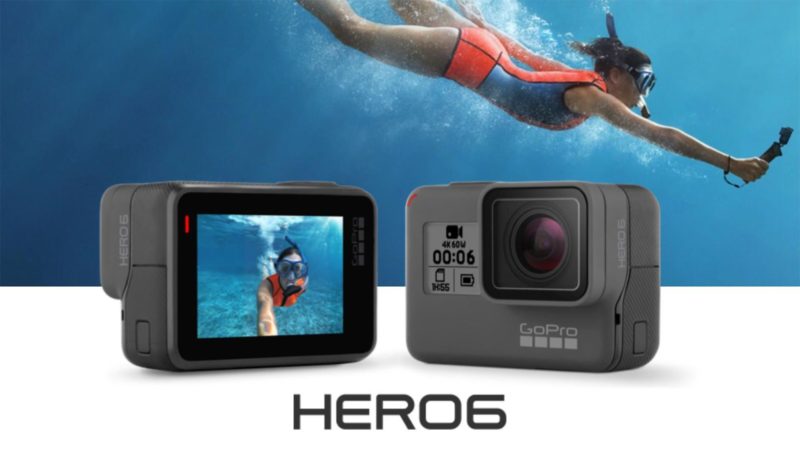
The latest and greatest version of the GoPro Hero action cam is out, and it’s a tremendous improvement over all previous versions. I had been using a GoPro Hero 3+ so far, but when I saw the features on the GoPro Hero 6 I instantly decided to buy it.

The two main features that make the upgrade worthwhile are the following:

  • touchscreen with video preview on the back of the camera
  • incredible image stabilization even at 4k

With the decision on buying the Go Pro Hero 6 being made, it was time to check out what accessories are worth buying. Everyone knows that a major part of the GoPro’s allure is its wide variety of accessories that enable you to film in almost any condition imaginable and attach the camera to anything.

First off, you will need a bunch of spare batteries. I recommend three spare batteries as a minimum if you’ll be getting any kind of frequent use from the camera. I use the camera during my travels and also for the filming of padel matches on a daily basis. I like to keep 4 spare batteries in the GoPro pouch, obviously making sure all the batteries are kept charged at optimal levels.

Equipment

  • GoPro Hero 6
  • GoPro Suction Cup
  • GoPro Hero camera case
  • 64GB MicroSD card
  • Spare GoPro Batteries

Software I use

  • Final Cut Pro
  • MPV player
  • YouTube (if you want to upload and share the videos)

Recording the Match

I make sure I get to the padel court around 20 minutes before the match, to have enough time to set things up and warm up. Once the other players arrive, I always ask them if it’s OK for me to record the match. So far nobody has refused or shown any displeasure, on the contrary, other players are typically very enthusiastic and ask me to share the YouTube link when I’m done editing and have uploaded it. Keep in mind that most players have never watched videos of themselves play, so they would be very happy to have this opportunity. Not to mention that it’s always cool to share your match with family and friends on social media 🙂

Next, I find a good place to attach the GoPro. As I mentioned in the equipment list, I always put the camera within its protective case and attach it to the suction cup mount. This mount allows me to easily attach the GoPro to the back wall of a padel court. If both sides are easily accessible, I choose the one which doesn’t face the sun. If the sun is low and facing the GoPro you will end up with potential flaring in the video and the quality won’t be that good.

Make sure all the screws are tight and if possible use the GoPro app on your phone to make a live connection to the GoPro and make sure that you’re happy with the angle of viewing. I typically record at 1080p/30fps, but if I need extra high quality I’ll record at 4k at 60fps. This will allow me to use slow-motion features during the editing process since I have extra frames to play with. You can also increase the frames up to 120fps.

With the GoPro securely attached, and once I’m happy with the angle, I will hit the record button on the camera, and forget about it. It’s time to concentrate on the actual match!

The only thing to keep in mind while playing is that the battery will be drained after around an hour of play, so keep those extra batteries handy, and just change the battery during the change of sides after every hour. I typically use two batteries per match, unless its a very long match that warrants use of the third battery.

When you finish the match, just stop recording, carefully detach the GoPro from the wall and pack everything. Make sure you get the other players’ contact details so that you can send them the YouTube link later. This is a great way to build contacts in the padel world and make sure that people remember you 🙂

Editing the Match

For editing matches, I use Final Cut Pro on an Apple iMac 5k. There are many alternative video editors out there, but Final Cut has given me the best balance between usability and power. The process for editing is pretty simple. I first import the video files from the GoPro into Final Cut as the first step. Keep in mind that the GoPro will split videos into smaller chunks, and you can then make a compound clip in Final Cut to stitch them back together. Next, you will want to add a Color Correction effect clip onto your video. This will allow you to adjust saturation and exposure. You will always need to correct these, as the video will never be perfect out of the camera directly.

The next step is to add a fade in and fade out effect to both ends of the video, and the finishing touch is to add a title clip at the start of the video. I typically include the date and location of the match and the names of the players. With all that in place, it’s time to publish. I keep a local high-quality copy on my Synology Diskstation NAS, and the other I publish on YouTube. Both of these copies can be created from Final Cut Pro directly using the Share menu item.

Viewing the Match

You can, of course, share the match with all your friends once you’ve uploaded it to YouTube. You should also keep a high-quality copy on your own computer, and for viewing that I recommend MPV player. This is the only free player I’ve found that allows stepping forward and backward in a video clip. That means you can move forward or backward frame by fame and carefully analyze each point. I like to take a look at my sense of anticipation, which means how long I took to start moving into position after the opposing player lined up his shot. I also check my footwork and make sure that I am doing a split step before every shot by our opponents. These are the little details that can be analyzed, together with many more, when you step forward and backward.

That’s it! Hope you enjoy your recorded matches! Let me know if you have any questions about the setup or process.

Filed under: Padel

Here’s How a Professional Padel Player’s Daily Routine Looks Like

Published: October 11, 2017Leave a Comment

Ever wondered how a padel professional splits his day? There is no one better to follow than the world champion for 14 years, Fernando Belasteguin.

In the video below, he shares his typical timetable:

07:15 – 08:00 Wake up & Breakfast

08:30 – 10:30 Physical Training

11:00 – 13:00 Padel Training, followed by stretching

13:30 -14:00 Back at home, lunch, siesta and the rest of the day with the kids

22:30 Bedtime

YouTube video

Interesting, he also emphasizes how important it is for him to get a good night’s sleep every single day. During the year when his first son was born, he was waking up during the night due to the baby’s crying, and he started to suffer from various injuries. Doctors advised him to wear ear plugs and that resulted in him getting much better sleep and less injuries. Of course, he also thanks his wife who is 100% supportive of his profession and takes care of the kids herself at night so that he can get a good night’s rest.

Filed under: Padel

Affiliate Income and EU MOSS VAT Treatment/Rules

Last updated: April 14, 202111 Comments

All businesses that are selling digital products in the EU are affected by the MOSS legislation regarding VAT payments.

The Mini One Stop Shop (MOSS) came into force on 1 January 2015 and allows taxable persons supplying telecommunication services, television and radio broadcasting services and electronically supplied services to non-taxable persons in Member States in which they do not have an establishment to account for the VAT due on those supplies via a web-portal in the Member State in which they are identified.

This scheme is optional, and is a simplification measure following the change to the VAT place of supply rules, in that the supply takes place in the Member State of the customer, and not the Member State of the supplier. This scheme allows these taxable persons to avoid registering in each Member State of consumption. The mini One Stop Shop mirrors the scheme in place until 2015 for supplies of electronically supplied services to non-taxable persons by suppliers not established in the European Union.

In practice, under the scheme, a taxable person that is registered for the Mini One Stop Shop in a Member State (the Member State of Identification) electronically submits quarterly mini One Stop Shop VAT returns detailing supplies of telecommunications, broadcasting and electronically supplied services to non-taxable persons in other Member States (the Member State(s) of consumption), along with the VAT due. These returns, along with the VAT paid, are then transmitted by the Member State of Identification to the corresponding Member States of consumption via a secure communications network.

The Mini One Stop Shop VAT returns are additional to the VAT returns a taxable person renders to its Member State under its domestic VAT obligations.

The Mini One Stop Shop is available to taxable persons who are established in the EU (the Union scheme), as well as taxable persons which are not established within the EU (the nonUnion scheme). Without the mini One Stop Shop, the supplier would be required to register in each Member State in which he supplies services to his customers.

The Mini One Stop Shop scheme is optional for taxable persons. However, in choosing to use the mini One Stop Shop the taxable person must apply the scheme in all relevant Member States. It is not an optional scheme on an individual Member State basis.

More information about the new legislation can be found in this PDF document.

Also the following:

  • HMRC’s excellent guide and flowchart
  • Sitesell’s simple but comprehensive guide to the new VAT rules
  • Digital Arts’ Guide to MOSS for creatives
  • Guidelines for the VAT treatment of Electronically Supplied Goods
  • Facebook EU VAT Group
  • VAT MOSS Technical Implementation
  • Info relevant to Malta

What is a digital product?

The European Commission has four criteria that will determine whether something is a digital product:

  • It is not a physical, tangible good.
  • It’s essentially based on IT. The offering could not exist without technology.
  • It’s provided via the Internet or an electronic network.
  • It’s fully automated or involves minimal human intervention.

You’re probably consuming and using digital products all day long, whether or not you realize it. Here are some common ones on the market today:

  • E-books, images, movies, and videos, whether buying a copy from Shopify or using a service like Netflix. In tax language, these products are in a category usually called, “Audio, visual, or audio-visual products.”
  • Downloadable and streaming music, whether buying an MP3 or using a service like SoundCloud or Spotify. Of course, these products also fall in the audio category.
  • Cloud-based software and as-a-Service products, such as Software-as-a-Service (SaaS), Platform-as-a-Service (PaaS), and Infrastructure-as-a-Service (IaaS).
  • Websites, site hosting services, and internet service providers.
  • Online ads and affiliate marketing. Income from these services can be considered taxable under digital tax policies.

Heads up: you might also hear digital goods referred to as “digital services,” “e-goods,” or “e-services.” All of these terms refer to the same thing.

MOSS and Affiliate Payments

If you engage in affiliate marketing and promote other people’s products or services you get a commission for it. The marketer who pays you a commission is your customer. And if this marketer is an EU person, you may have to apply the MOSS VAT rules on these commissions.

Here’s how it works. First of all, affiliate commissions fall under ‘marketing services’. There was initially some debate on whether they are fully automated or not, but it seems that most VAT authorities are classifying it as an automated electronic service, hence falling under MOSS rules.

Here are a few scenarios.

  1. If you are provided with a VAT number, no VAT should be charged, applying reverse charge.
  2. If you receive affiliate income from non-EU, no VAT is charged.
  3. If you receive affiliate income from EU, without VAT number, since this is considered to be fully automated and electronic service, VAT should be charged at the location of the customer, and declared in MOSS.

In a domestic setting, as an affiliate, you would send an invoice to the business, which has to pay a commission to you. The invoice contains the commission amount plus the applicable VAT. The product owner, whose products you promote, then can claim back from tax authorities this VAT amount you invoiced.

Again, if you’re a European-based affiliate, and the company whose products you are promoting is also a VAT-registered business in the EU but in another country compared to yourself, you don’t need to charge them VAT. Both of you have a VAT number and this is a B2B transaction, so the reverse-charge mechanism is used.

Now there is a special case that merits some attention. Some businesses in the UK have revenues that fall below the VAT threshold and will therefore not be required to have a VAT number. This proves problematic to you as an affiliate if you are promoting the products of such a vendor.

Because of all the red tape involved and relative newness of the system, affiliate marketing plugins used by such vendors are not able to handle this new rule. At the end of the month, they will pay your commission without any consideration of VAT. If you contact them about the issue, they might decline your request to pay an extra amount of VAT to you and then to reclaim it from their government. So there is a good chance that you will have to pay it to the product owner’s government, but he will neither pay it to you nor demand it back from his government.

If they can’t modify their affiliate systems to handle this scenario, you might get them to pay you the extra VAT they owe you by generating an invoice yourself (including the VAT due) and sending it to them. Then they will forward you the due VAT amount in addition to the automatic affiliate payment already issued by their systems.

A common question among affiliates in Europe concerns the VAT MOSS rules and how they apply to affiliate income.

If you are a business providing affiliate marketing services to another European registered company that has a VAT number, there is no change. Since both are companies and both have a VAT number, there is no VAT charged in this B2B transaction.

The major doubt arises when you have companies or freelancers who are below the threshold for VAT registration in countries like the UK, so they don’t have a VAT number. If you are providing affiliate services to these companies or freelancers, you will need to charge VAT to them.

This can be quite annoying as many affiliate systems automatically pay affiliates every month, and they don’t have functionality for MOSS VAT built-in. So what you will need to do is inform the company that you will be issuing a monthly invoice to them with the VAT added on top of the referral income they owe you. They should not have any problem with this arrangement since that is what the law necessitates. If you don’t invoice them and obtain payment, you will be liable to pay the VAT yourself, which is not a good situation.

Now the second question relates to what VAT rate to use when charging advertisers. The answer is that you should use the VAT rate of the country where the advertiser is based. Hence we are using the MOSS VAT rules because affiliate income is classified as an automated digital service.

Hence if you are a Spanish affiliate for a UK-based product seller, and this UK seller does not have a VAT number, you need to charge him UK VAT at the end of the month when you obtain your affiliate payout. Then, you will need to declare the amount collected on your MOSS statement.

Preparing Invoices

Invoicing for affiliates can be a bit tricky. Affiliates themselves don’t usually invoice the product owners. As a blog owner, for example, you can be signed up to over 200 affiliate programs, so creating invoices every month for small amounts would be ridiculously time-consuming. I

Instead, what happens is that affiliate network platforms such as Shareasale, automatically create invoices for the product owners on behalf of the affiliates. That satisfies accounting requirements without adding overheads to the affiliates. It is important that the product owners obtain all the relevant details from their affiliates as this info will be automatically inserted into the invoices, which are a legal obligation to have in all jurisdictions in Europe as far as I know.

Filed under: Business

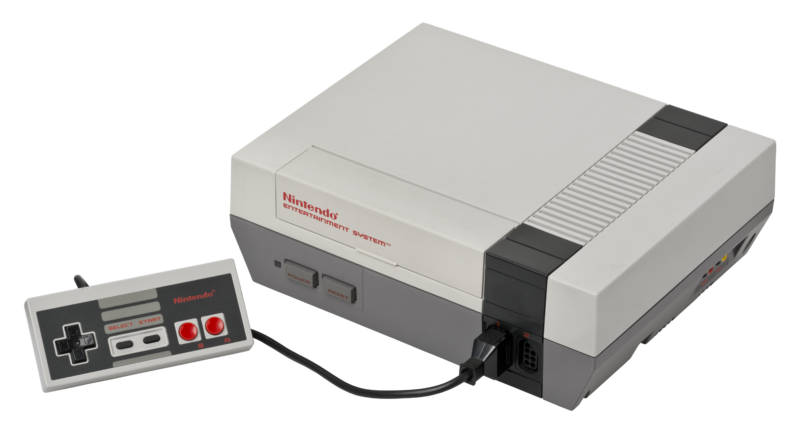
Computers, Consoles, Games and How They Shaped My Future

Last updated: August 31, 20258 Comments

Since early on in my childhood, I’ve had electronic toys and computers to play with. My parents were very avant-garde in this area, although none of them had any involvement in the technology sector. As I’m never short on ideas and interests to pursue, I’ve lately decided to dedicate one theme for side projects each month. This month’s project was gaming and retro computing.

The first step was to look back in my archives and try to remember all the computer games I played as well as the systems I owned over the years. Digging in my drawers and cupboards I managed to unearth most of them; luckily the vast majority are still in excellent condition.

Each machine or device I found took me on a trip back in time and I couldn’t resist switching them back on after so many years and spending some time on each. It’s amazing how skills can lie dormant in us for many years but can then be re-activated instantly once the appropriate trigger is pressed. As I switched on each console or game, all the commands and history of each game rushed back into my mind and it was like no time had passed at all. Pretty powerful and amazing stuff indeed.

That got me into a deeper mood as I reflected on the influence that these games and devices had on me while I was growing up. I’d say the most intensive of my gaming days was between the ages of 6-13.

This may come as a surprise to millions of parents. https://t.co/mGB6EzECE7

— Inc. (@Inc) March 2, 2021

To give some context I’m going to proceed in listing the various devices I used or had access to, as well as some of the best games for each. This is going to be a personal post but perhaps it will also rekindle some fond memories of others in my age group.

[Read more…]

Filed under: Thoughts & Experiences

The Best Padel YouTube Video Tutorial Channels

Published: September 18, 20171 Comment

If you want to improve at padel, the best way to do so is to get a private padel coach and have regular lessons, play as many matches as you can and also make sure you are at peak fitness. However, when we’re not training and resting our bodies, we can still continue improving at padel by watching matches and tutorials on YouTube.

Here are the best YouTube and Vimeo padel tutorial channels:

Rafa Galvez Padel

YouTube video

Rafa Galvez is a padel coach with many years of experience. He started off as a tennis coach and later moved on to padel. He has some excellent video analysis of WPT matches, as well as a very nice collection of fitness for padel videos.

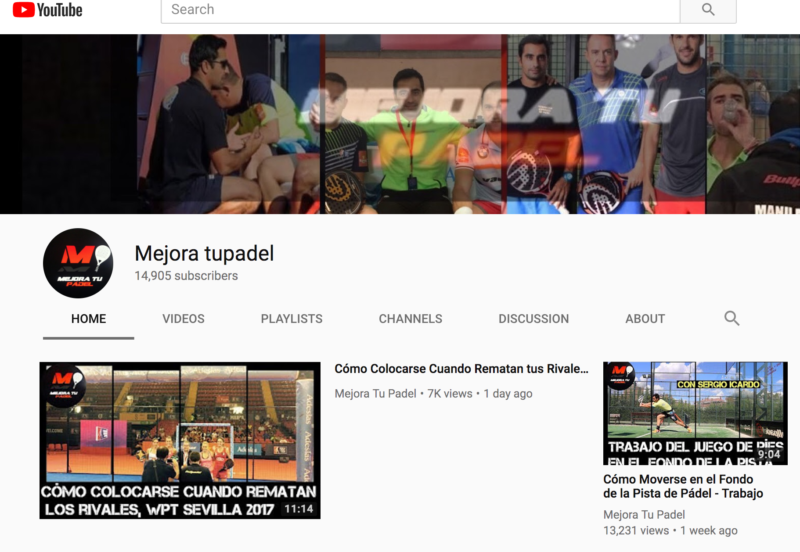
Manu Martin – Mejora Tu Padel

YouTube video

Probably the hottest padel channel at the moment, Manu combines padel tips with shots from his life and that makes it very interesting. Manu is the coach of the popular Alejandra Salazar and also Gaby Reca.

Paquito Navarro – DaleCandelaTV

YouTube video

Paquito Navarro needs no introduction, he is currently the no.1 ranked Spanish player in the World Padel Tour. He’s also a very friendly and funny person, and this character shines through in his padel videos. In every video he teaches us a new shot. I find these videos to be really entertaining and great if you want to learn how to hit the ball from a padel champion.

Rodrigo Ovide – Herbalife Padel Tutorials

Herbalife is one of the main sponsors of World Padel Tour and they have created a series of videos explaining the main padel shots. Rodrigo Ovide, one of the most well known padel coaches, is the one who explains the technique in these videos.

Miguel Sciorilli – Arena Entrena Padel

Miguel Sciorilli is another very well known coach, he was the trainer of padel number one Fernando Belasteguin for many years.

Hugo Cases

YouTube video

Another padel coach that has created a series of good videos to learn the basics in his YouTube channel.

Mauri Andrini – Hello Padel

YouTube video

Mauri Andrini teaches us the basic steps and positions in padel. The best thing about these videos is that they are in English and are very well produced.

Padel Trainer

YouTube video

This is probably the best padel channel in the English language. They also sell a padel course on Vimeo, so make sure you check this channel out if you don’t understand Spanish.

I also found this hour long padel theory talk which is very interesting too, and again it’s from the Padel Trainer guys and presented in English.

YouTube video

Unfortunately most padel YouTube tutorial videos are in Spanish, so you’re out of luck if you can’t understand a word. On the other hand, it’s a great incentive for you to learn Spanish, which is a very useful language to know. As we have also seen, there are also some new channels that teach padel in English, and I’m sure we’ll be seeing more channels in English as padel continues to expand throughout Europe and the United States.

Do you have any other favourite padel channels that I missed? Let me know in the comments section.

Filed under: Padel

  • « Previous Page
  • 1
  • …
  • 79
  • 80
  • 81
  • 82
  • 83
  • …
  • 92
  • Next Page »

Latest Padel Match

Jean Galea

Investor | Dad | Global Citizen | Athlete

Follow @jeangalea

  • My Padel Experience
  • Affiliate Disclaimer
  • Cookies
  • Contact

Copyright © 2006 - 2026 · Hosted at Kinsta · Built on the Genesis Framework