On 26 February 2026, Alexey Grigorev lost the production database behind DataTalks.Club, and every automated snapshot with it. According to his own post, the Terraform state file was on his old computer, so Terraform proposed creating resources that already existed. Claude Code made duplicates, then replaced the current state file with an older archived one and ran terraform destroy.
He didn’t stop it. The VPC, the RDS database and the snapshots all went. AWS support found a snapshot he couldn’t see in his console and restored it exactly 24 hours after the deletion.
The backups he could reach went with the database because they sat in the same account, under the same control.
Which backup tool or provider you pick matters less than three properties: the copy sits in a different account from the app, the credentials on the server can’t delete it, and you’ve actually restored from it. AI agents holding production credentials add a new way to lose the backups along with the data. I went through every option below while setting up off-site backups for an app on my own Hetzner box.
Why a Copy Next to the App Doesn’t Count
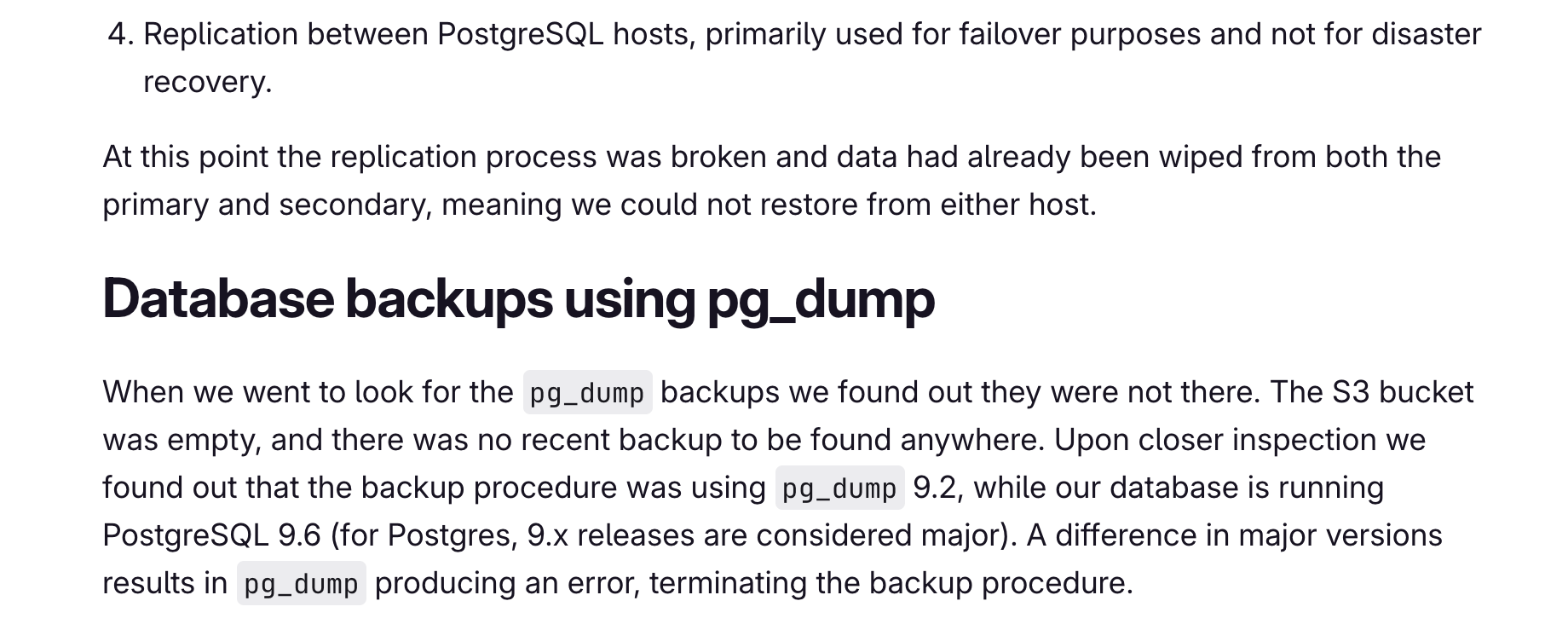
GitLab’s 2017 postmortem is the clearest list of backups that existed on paper. Their pg_dump job to S3 ran every 24 hours, but it ran pg_dump 9.2 against PostgreSQL 9.6, and the bucket was empty. The failure emails were rejected because DMARC wasn’t enabled on the cron mail. Azure disk snapshots weren’t enabled on the database servers. The only usable source was an LVM snapshot about six hours old that wasn’t meant for disaster recovery.
While resyncing replication, an engineer wiped the primary’s data directory, about 300 GB. GitLab estimated the damage at roughly 5,000 projects, 5,000 comments and 700 new user accounts, and copying the data back took around 18 hours because the disks were throttled.
In June 2014, an attacker got into the EC2 control panel of Code Spaces. According to The Register, quoting the company, he “removed all EBS snapshots, S3 buckets, all AMI’s, some EBS instances and several machine instances.” The company said most of its data, backups and offsite backups were partially or completely deleted, and it couldn’t continue operating.
Two more cases come from the people involved. Jason Lemkin of SaaStr said a Replit agent deleted a production database during a code freeze in July 2025, according to The Register. Replit’s CEO called it unacceptable and announced a split between dev and prod databases.
In April 2026, founder Jer Crane said a Cursor agent found an unrelated API token with broad authority on Railway and made one volume-delete call that took nine seconds (as covered by Zenity). Railway kept the volume backups inside the same volume, so they went too, and the newest backup outside it was about three months old. Railway staff said on their forum that the API delete skipped the grace period the dashboard had, and that it was fixed.
The Three Properties
The first is a different account. A snapshot in the same cloud account, a dump on the same volume, a second bucket under the same login: each goes when that account is compromised or wiped by mistake. The CISA ransomware guide says “many ransomware variants attempt to find and subsequently delete or encrypt accessible backups,” and suggests multi-cloud storage “in case all accounts under the same vendor are impacted.” A different provider is the cleanest answer. A second account with separate credentials is a start.
The second is credentials that can’t delete. The server needs to write backups and nothing more, so create its key without the delete capability. I made the same case for email agents: a rule written into a chat gets summarized away, so the capability has to be one the agent doesn’t have.
Where the storage supports it, turn on Object Lock so locked versions stay for a retention period even if someone with a stronger key tries to remove them. Check when your provider lets you enable it. Backblaze allows it on an existing bucket but only sets a default retention at creation. Hetzner and Wasabi document it as a creation-time setting. Decide before the first upload.
The third is a restore you’ve done. GitLab’s bucket was empty, and the cron mail that should have said so never arrived. CISA’s guide says to “regularly test the availability and integrity of backups in a disaster recovery scenario.” Grigorev’s fixes after his incident include a nightly automated restore test.
The old 3-2-1 rule asks for three copies on two media types with one off-site. Veeam’s extended 3-2-1-1-0 adds one immutable or air-gapped copy and zero recovery errors, meaning the backups are verified and tested.
If you encrypt the off-site copy, keep the encryption keys somewhere other than the server, such as a password manager. Without them the copy is unreadable.
What Each Tool Is For
restic gives you deduplicated, encrypted snapshots over S3 or SFTP. Losing the password loses the data. Append-only mode lives in rest-server, but restic’s docs state the limit: forget and prune need delete rights, so if the same credentials run them, append-only protection is gone.
An attacker can also plant fake snapshots so that a policy-based forget deletes the real ones. Don’t point it at live database files.
Borg, usually driven by borgmatic, works over SSH. borg serve --append-only only protects you if the server enforces it, and the key needs its own off-site copy (Borg docs).
Kopia is always encrypted and still a 0.x release. Its ransomware protection relies on Object Lock set when the bucket is created, and Kopia doesn’t renew locks by default. Run kopia maintenance set --extend-object-locks true and make sure full maintenance runs more often than the retention period, or the locks lapse silently.
rclone copies files; versioning and deduplication aren’t its job. copy skips what’s already at the destination, while sync makes the destination identical to the source, so an emptied or compromised source deletes the backup. --immutable means existing files are never modified.
Its crypt backend encrypts file names by default but leaves file length visible to within 16 bytes, and the password is only lightly obscured in rclone.conf.
For SQLite, Litestream replicates about every second by default. The 0.5.x line refuses to start with client-side age encryption in the config, so you’re relying on S3 server-side encryption.
Postgres: A Nightly Dump or Point-in-Time Recovery
pg_dump takes a consistent snapshot as of the moment it starts, without blocking readers or writers. Roles and tablespaces need pg_dumpall --globals-only on top. A dump can’t be part of continuous archiving.
A nightly dump is enough when losing up to a day of writes is acceptable. Point-in-time recovery is worth it when you can’t lose hours of writes, or when you need to recover to the moment before a bad change.
PITR means physical backups plus WAL archiving, through pgBackRest or WAL-G. The Postgres docs say it can need “a lot of archival storage,” a lagging archiver can fill pg_wal and the disk, and a restore covers the whole cluster. pgBackRest’s passphrase can’t be changed after the stanza is created (user guide). Barman is designed to run on its own server, so on a single box I’d look at pgBackRest or WAL-G.
Where the Copy Goes
Prices checked on 1 November 2026. The monthly column assumes 200 GB stored in steady state, with one full restore a year spread over twelve months and request charges ignored.
| Provider | Published price | 200 GB per month | Worth knowing |
|---|---|---|---|
| Backblaze B2 | $6.95/TB | $1.32 | Object Lock at no extra cost; egress free up to 3x stored data; first 10 GB free |
| AWS S3 Standard | $23/TB | about $5.35 | $0.09/GB egress after the first 100 GB a month |
| Cloudflare R2 | $15/TB | $2.85 | Free egress; no S3 Object Lock, only prefix-based bucket locks |
| Wasabi | $7.99/TB | $7.99 | 1 TB minimum per account; 90-day minimum retention |
| Hetzner Object Storage | EUR 6.49 flat | EUR 6.49 | Includes 1 TB stored and 1 TB egress; Object Lock set at bucket creation |
| Hetzner Storage Box (BX11) | EUR 3.20 for 1 TB | EUR 3.20 | SSH for Borg, restic, rclone or rsync, not S3; snapshots |
| rsync.net | $15/TB, 800 GB minimum; Borg plan 1.5 cents/GB, 100 GB minimum | $3.00 on the Borg plan | SSH, not S3; immutable ZFS snapshots on standard accounts; Borg accounts can be append-only |
The figures come from each provider’s own pages: Backblaze, AWS, Cloudflare, Wasabi, Hetzner Object Storage, Hetzner Storage Box and rsync.net. At 20 GB the gap shrinks further: B2 is about $0.07 a month, R2 $0.15 and S3 $0.46, while the flat-rate plans stay flat. The spread is a few dollars a month, so choose on independence and lock strength.
Hetzner also states that terminating the contract deletes all data even with Object Lock on, an account-level risk the lock doesn’t cover. That’s an argument for keeping the off-site copy at a provider unconnected to where the app runs.
What I Run
On an app I run on a Hetzner box, Postgres is dumped on a schedule, kept on the volume, and copied to a Cloudflare R2 bucket with a lifecycle rule that expires old dumps. I check restores by loading the newest dump into a throwaway Postgres container and comparing row counts with the live database. Each dump is about 73 MB, and the attachments come to about 14 GB.
The layer going in now is the one meant to survive a bad day: a copy at Backblaze B2, a different provider, in a bucket with Object Lock. B2 is the copy that meets all three properties: a separate provider, Object Lock, and a key with no delete capability. The dumps and attachments are encrypted with rclone crypt before they leave the box, the crypt password and salt live in a password manager, and the job uses rclone copy --immutable, never sync. A weekly job pulls the newest dump back from B2, restores it and compares row counts.
Two more changes go in with it. Dumps run every six hours instead of nightly, because a dump is 73 MB and a day of lost notes and draft edits costs more than the storage. And the alerting moves off the box: a Cloudflare Worker expects a heartbeat every few minutes and posts an alert when it stops, since a watchdog on the server can’t report that the server died.
This Week
Pick the app you’d least like to lose and answer three questions. Does a copy exist in an account the app’s credentials can’t reach? Can those credentials delete it? When did you last restore from it?
If any answer is no, start there. Open an account with a second provider, create the bucket with Object Lock before you upload anything, give the server a key without delete rights, and ship last night’s dump with rclone copy --immutable. Then restore that dump into a scratch database, compare it with live, and put the restore on a weekly schedule. Once, rebuild the whole app on a spare server from nothing but the backups and your notes, because recovery steps stay untested until you’ve run them.
If an AI agent has shell access or a cloud token on your infrastructure, check what that token can delete, and whether any of it is a backup. The agent’s own setup needs the same treatment, which I cover in How to Back Up Your Claude Code Setup to the Cloud.
Related







Leave a Reply