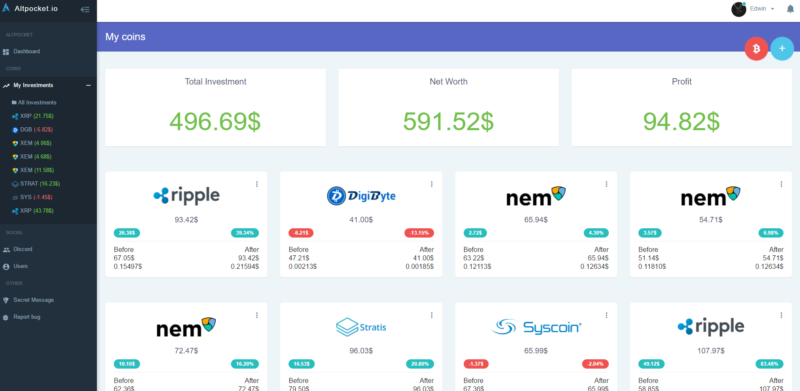
With thousands of crypto tradeable assets available, it is hard to keep track of your crypto portfolio these days. Even if you’re just buying and selling one or two different coins, you can quickly lose track of things, especially if you’re using several crypto exchanges or trading apps like Coinbase, Binance etc. Not to mention if you’ve been dabbling around in DeFi and DEXes like Uniswap and Sushiswap.
It is also important to track other crypto-related activities, for example when earning interest on your crypto through dedicated crypto lending platforms.
You could also be using one of the various crypto debit and credit cards where for tax purposes you will need to keep track of every single purchase done with your card.
As you can see, it is important to know your positions in an easy way, and there is no better way than to use an app or software solution.
You need to know where you stand at all times:
- to keep track of your overall investment
- to be prepared when tax time comes along
Here are my favorite portfolio tracking and tax preparation tools.
CoinTracking

This is one of the earliest and most complete services available out there. They have two offerings, one for crypto traders and the other for crypto companies.
See also: My detailed review of Cointracking
CoinTracking.info has one of the most extensive customer service areas I have seen on tax reporting platforms. It has an elaborate documentation section that covers almost every question you might have. It also has a separate FAQ that caters to the most commonly asked questions.
There is even a CoinTracking.info robot ready at your disposal. This is all aside from the typical customer service tools such as communities, live chat, video tutorials, and email contact. There is also a demo version of the website available that can give you a good idea of what to expect once you start using the platform.
Of course, CoinTracking also calculates crypto taxes every year for you. Given that it’s still so hard to find competent accountants who understand crypto (plus it would be very expensive), it’s well worth it to pay for a tool like this that prepares everything for you. At any point, you can review your tax summary, and download the reports you need to file your taxes. CoinTracking is seamlessly integrated with TurboTax and your accountant’s software. Full support is offered in US, UK, Canada, Australia, and partial support for every other country. They are adding full support for other countries too, so check out the site for the latest list.
I’ve spoken to the founder of CoinTracker on my podcast Mastermind.fm, so check that episode out if you’re interested in learning more about the platform and crypto taxation in general.
You can not only connect it to your exchanges to pull in all the data about trades you’ve made, but you can also mark transfers to your Ledger Nano or other cold wallets so that they are not deducted from your overall balance.
In terms of exchanges, they practically support every exchange out there, including my favorites Binance and Binance. You can import your data automatically via API or upload a CSV of all your trades. Cointracker uses read-only access to your exchange accounts to protect your funds. That is very very important as it means that Cointracker will never have any permission to operate with your crypto.
Read more: My guide to investing in cryptocurrencies
This service offers a broad and comprehensive analysis of your crypto portfolio – which allows you to manage all your digital currency accounts at once.
Moreover, its longstanding reputation has allowed the CoinTracking.info team to update the platform regularly to cater to the changing needs of the crypto community.
To ensure the provider is right for you, CoinTracking.info also offers a free account to help you understand whether the platform can fit your tax reporting needs. Overall, CoinTracking.info comes across as one of the most efficient management tools you can use for your crypto portfolios.
Get your 10% discount on Cointracking plans
Koinly
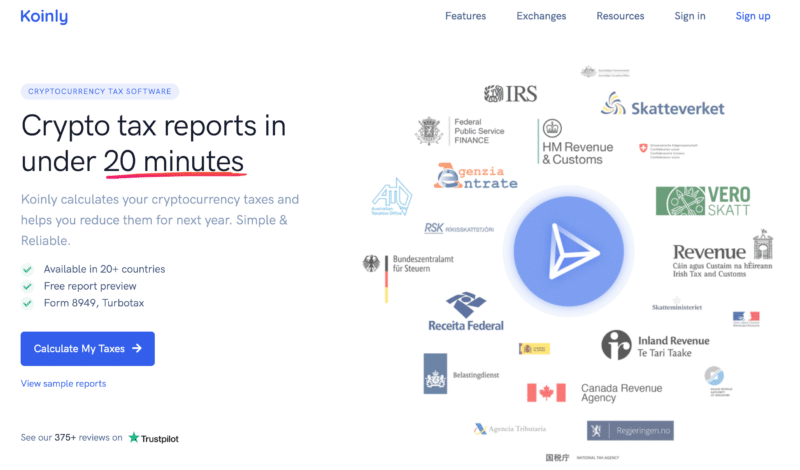
Koinly was established in 2018 and has already generated more than 11,000 tax reports for its clients.
I like it since it’s not 100% US-focused, and as such you can use it to prepare your German, Italian, Spanish, French taxes along with many other countries. The team behind Koinly is composed of tax lawyers, accountants and engineers who study the tax implementations of many countries and make sure the software can support these systems as well as a plethora of worldwide exchanges.
See also: My detailed review of Koinly
Koinly automatically imports your transactions, finds all the market prices at the time of your trades, matches transfers between your own wallets, calculates your crypto gains/losses and generates your tax reports.
CoinLedger

CoinLedger takes away the pain of preparing your bitcoin and crypto taxes. Read my full CoinLedger review for the details. Simply connect your exchanges, import trades, and download your tax report in minutes.
Kubera
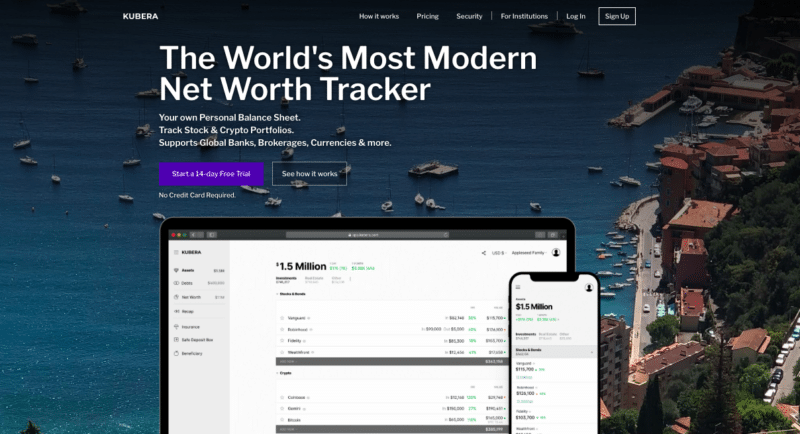
Kubera helps you to organize all your wealth in one place and keep regular track of your net worth in a very simple intuitive way. In fact, Kubera is a more holistic tracker than the above platforms in that apart from automatically tracking your crypto position, it also captures your bank and brokerage accounts, real estate, vehicles, domains and metals. Kubera also allows you to manually input any other assets you own so that you can obtain a comprehensive view of your net worth in real-time.
Kubera will also provide you charts with analytics showing you how your net worth and investments changed over time. Every update to your asset value is kept in history to go back in time to see how you fared. It also allows you to keep an eye on the asset allocation and statistics indicating which asset experienced the highest appreciation or depreciation.
Kubera also calculates accurate rate of returns (IRR) for all your investments based on the multiple contributions & withdrawals and the time invested. It also benchmarks the IRR with the returns from popular indices and tickers (S&P 500, Dow Jones, AAPL, BTC etc.).
See also: My detailed review of Kubera
Another handy feature of Kubera is the possibility to store important financial or asset documents on the platform.
Through Kubera you will also be able to share a read-only link of your portfolio with others. In addition, with Kubera’s “Life Beat” feature you can allow portfolio and document access to your beneficiary of choice, however only after extended periods of inactivity.
How to Easily Prepare Your Crypto Taxes
So you’ve fallen down the crypto rabbit hole, started buying and selling some Bitcoin, then bought some Ether, and perhaps even ventured further to buy some other altcoins.
After some time, seeing that you’re profiting massively, you decide to sell some of your tokens. Sometime later, you decide to buy a new token that you believe will revolutionize the world.
The problem is, of course, keeping track of all these purchases and sales. You want to keep track of whether you’re actually turning a profit or not, plus you need to calculate what you owe your country’s taxman at the end of the year.
Crypto taxes are a complex topic, but I’ve done my best to summarise the situation in several major countries, so check out my post on how Bitcoin and other cryptos are taxed around the world.
So what are your options for crypto tax preparation?
You could keep track of things manually using a tool like Excel, but this quickly gets out of hand, especially if you’re trading on multiple platforms or have multiple wallets.
The better solution is to use an online crypto tax preparation tool.
All the tools mentioned in this post can help you in preparing your taxes apart from acting as a handy crypto portfolio.
If you’re preparing your crypto taxes for the first time, I would suggest you check out my favorite portfolio/tax preparation tools:
Depending on what your needs are, what jurisdiction you’re in, and what your budget is, you can choose one of those platforms. Both are excellent and run by serious people, so you cannot go wrong.
What’s your favorite crypto tax preparation tool?
Related reading: Best crypto tax software in 2026.
Related








How do you start with a portfolio tracker and value coins that you already own for years , didn’t buy and hold 1:1 , gained some through staking , sent to an exchange and kept in an offline wallet , mining or liquidity providing , lost some and what not . How do determine the “buy” price for these ?
Do you wait for first day of the next tax year to start the portfolio tracking at that current price ?
Could use tips 🙂
How safe is the API integration in some of these you noted? I like the idea of automated integration but that’s the part that makes me a little nervous, integrating the software with my exchange accounts.
Also, do any of them connect to DEX’s also?
Thanks for the article!
It makes me nervous too, and I’m sure we’re not the only ones. Ultimately, it’s just like everything else we do only, we trade privacy for convenience. Unfortunately there’s not really any other way to track portfolios and generate tax reports unless you use these tools. The only other alternative is to do things manually on Excel, which isn’t really an alternative unless you make a handful of trades a year at max.
Hi Jean, beg to differ mate. There are a number of very good crypto tracking apps and web-based systems out there that don’t require you to hand-over your API keys. Handing over your API keys might tick a box so far as convenience is concerned, but all it takes is a simple error by the user to expose their coins to a scammer. I use Tookbox. It’s nice and simple, and there’s no risky API integrations. When it comes to tax-time, I simply hand over an export from Tookbox to my accountant and my tax is sorted.
I’m surprised for not seeing CoinGecko being listed here. It is definitely one of the best free crypto portfolio. Manual entry but fairly easy to use.
May check it out here: https://www.coingecko.com/en/portfolio
It’s a good tool, but there is no tax preparation option.
I’ve been using http://www.accointing.com for a few days and I really like it. My only complain is that syncing data from Binance takes ages. I would expect it to be pretty quick if you just download the new data since the last sync, but it feels like it is requesting the full log every time.
Do any of these trackers have screens that auto-refresh as market prices change? I was shocked to find that CoinStats does not (you have to click the refresh button even on the portfolio tracker page). Even CoinMarketCap has auto-refresh capability.
They should be able to stay updated, else they wouldn’t make sense.
I’ve always used the ZenGo wallet (https://zengo.com/) for storing my crypto assets. Given that it’s the first keyless wallet, I’ve found it well designed and very user friendly. They just added a portfolio tracking feature that I’ve found very useful. I’d recommend that you check it out.
It looks like a nice wallet. Mobile wallets can also be used to quickly keep track of your portfolio on the go.
CoinGecko now has a free portfolio tracker.
I have been using it and finding it useful.
Made me wonder why no exchanges, or wallets, have such features as %pnl (for each asset), and came across this page while I was searching for such a wallet.
Even though CoinGecko is purely manual entry, I find it useful because I can aggregate all my wallets and trading accounts holdings in the one place there, and it tracks pnl for me.
Thanks Jean for the great article.
And now I’m off to try some of these you suggested 🙂
Cheers.
You’re welcome Paul.
I am using the same, after a few experiences with other mentioned apps/websites.
The market is very immature when it comes to portfolio tracking, specially compared with regular stock market.
Agreed, let’s remember the whole market is immature as a whole. On the other hand, being early means a greater opportunity to profit.
Have you tried bituniverse? Which one is better comparing with cointracker?
What do you think of Koinly? I’ve been comparing it with cointracker withs free accounts, trying to decide which one to pay for to get a tax report. I like the Koinly UI a lot, and it’s less expensive than Cointracker, just wondering if it is as accurate.
I haven’t tried that service yet Dave, since I’ve been very happy with Cointracker, and it’s not something I want to be changing very often.
I’ve been playing with CoinTracker for a while, it is pretty nice but a bit dumb at some things. The Android App is a nice touch.
But I agree that Koinly looks nicer, more obvious information in the Coin listings, and seems like a robust import process.
I will compare the numbers and report back.
I noticed that CoinTracker was getting confused about CHI token transactions from my DEX transactions with 1inch. So some manual editing looks like with CoinTracker.
Any further thoughts on Cointracker vs Koinly?
I’m adding Koinly – been testing it out lately and it’s a terrific service.
Hi Jean, I suggest to add in your list https://tokenncoin.com – for its simple and elegant design which shows only showing active cryptocurrencies in the market. Thank you.
The good one is also Wallmine. I was able to transfer portfolio easily and I can see the performance in the crypto screener via 1 click. It has nice features like emails alerts or push notifications. Cool are heat maps visualizations but I use those for stock screening more. I would like to see the app and I am really missing the broker integration but otherwise, I am happy with it
That is a very good tool Daniel, thanks for your suggestion. I like the clean interface and many features. I still prefer Cointracker’s tax preparation feature though, so if your investments are purely crypto and you’re worried about tax then I would use Cointracker.
If not, Wallmine is a great option.
CryptoPrices123.com
Hi Jean,
CoinSigma.com is a new Excel-like crypto accounting application, built for Windows power-users with many transactions.
Some highlights:
– Import any CSV or Excel format with our flexible mapping tool. (+API imports coming 1 Feb!)
– Edit transactions interactively in an Excel-like grid, and even Copy&Paste with Excel
– It calculates Cost Basis for you on-the-fly: FIFO, LIFO, HAFO, LAFO, HCFO, LCFO, HPFO, and LPFO. And, it allows you to override any cost.
– See all your coin prices, portfolio value, and values per wallet, and per coin. (Prices pulled from 200+ exchanges and over 50 000 market pairs.)
– Tax: Calculates your gains report in seconds and shows you which is best among the cost basis options.
Please give CoinSigma.com a go and let me know your thoughts? It’s free for up to 200 transactions.
Email us at [email protected]
All the best
Corne Schriek
(I work for an Australian startup Dyna Guru Pty Ltd., and this is our first product, launching now!)
Looks like this product never made it to the market unfortunately.
Bituniverse and Coinstats are good for portfolio tracker. To track the price in realtime (exchange specfic) Tab-Trader and Byte ( https://getbyte.app ) are great. they have added all exchanges in Realtime. works great
Thanks for the suggestions, pity that they don’t integrate with some of my favorite exchanges like Kraken and Bitpanda.
It has already integrated both of them.
Hello guys,
Me and my friends just set up a 100% free, fully automated, crypto portfolio tracking app at https://coinmash.net . This means you can track your crypto portfolio, without adding/removing coins manually, after you do transactions.
Transactions are seamlessly synced from your blockchain/exchange accounts. We also have real time ticker updates, alarms and other cool features. We are just now working hard to release android/iOS versions. We aim to be the complete go-to tool for tracking and managing your portfolio in real time.
We would appreciate it if you folks could take a look at the app and tell us what you think about it.
Seems to have gone the way of the dodo.
Hi Jean, try out coinstats.app as well, it’s not only a web portfolio tracker but also available for smartphones, both IOS and Android. I am using it for already three months and can’t complain so far. All the needed info in one place, saves a lot of time
Here is a link to it https://coinstats.app/
Hi Jean,
I’m also looking for a desktop app, WinOS, better than cointracking.info
I don’t really need a mobile app to monitor pricing, all trading would be done on the desktop app and a browser with 12+ tabs, mobile devices don’t cut it.
Hi Jean,
Our app, CoinView, offers an alternative to Blockfolio and Delta. Our users tell us they love the UI, news, watchlists, alerts, ICO info, and ability to trade on multiple exchanges through a single app.
If you’re up for it, we’d love to know that you think. Details here: https://en.coinjinja.com/coinview
Thanks for sharing Dylan.
Hi Jean,
We have recently launched a Free smartphone app (Android & iOS) which offers an efficient way to track crypto portfolios. The details are available on http://www.KryptoGraphe.com.
Would love to hear your feedback.
Hi Jean,
We have added a lot of new features and would love to hear from you about our app KryptoGraphe – http://www.kryptographe.com
Features
– Automated alerts for your favorite coins
– P&L report
– Tax basis report
– GDPR compliance
& many more
Regards,
Rohan
Thanks for sharing Rohan, I think there are better options out there though.
Hi there, i use a site called Crypnotes.com. It has all the tools you will need
CoinView only just launched in BETA but so far it looks nice and clean. You can integrate directly with major crypto exchanges so no manual adding needed.
https://coinview.pro
This crypto portfolio tracker seems to never have made it past beta unfortunately.
Great post — very helpful! Will check out http://www.cointracker.io; looks awesome.
Yep, it’s my favorite! 🙂
Hey Jean!
Do you mind trying our app? Moonitor.io, it’s optimized for Desktop (max, windows, linux).
There is no auto import for now (future updates), but the best part is that it’s private unlike other apps which sell you data to spam companies 🙂
I like the name and the app looks decent enough, however it seems like it never got any updates.
Currently I’m using vertfolio https://vertfolio.com, it’s new but simple and easy to use.
Looks nice but doesn’t seem to have auto import from exchanges nor a website or desktop app, which are crucial for me.
Yes, they don’t have auto import from exchanges but they just released a web version on https://web.vertfolio.com. Thanks
Too simplistic and no longer developed, I would not recommend it in 2020.
You should try out Delta for iOS & Android too. Desktop is coming soon. 🙂
https://getdelta.io – eager to find out your thoughts!
Nice work Nicolas looks pretty cool.
Hello, i suggest to add in your list crypolio.com – it’s easy-to-use free tracking tool
That’s quite a bad name; seems like the project didn’t survive.