Jean Galea

Health, Wealth, Relationships, Wisdom

  • Start Here
  • Guides
    • Beginner’s Guide to Investing
    • Cryptocurrencies
    • Stocks
    • P2P Lending
    • Real Estate
  • Blog
  • My Story
  • Community
  • AI Consultancy
  • Search

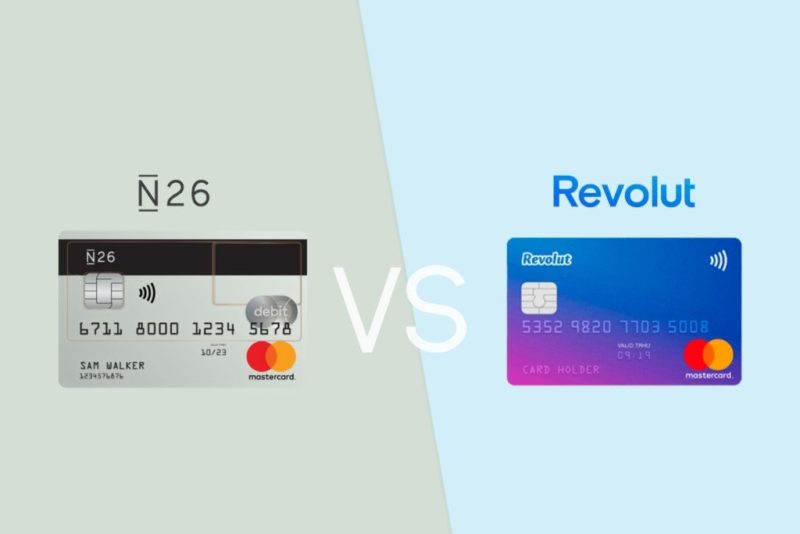
N26 vs Revolut – Why I Think There is a Clear Winner

Last updated: March 11, 202614 Comments

N26 vs Revolut

Back in 2020, I wrote a comparison of N26 and Revolut and concluded that N26 was the better bank. At the time, I stood by that call — N26 felt more like a real bank, had cleaner design, and Revolut was still finding its footing.

A lot has changed since then. I still use both, and I’ve been meaning to revisit this for a while. The honest answer in 2026 is that my conclusion has flipped. Revolut has become my primary account for most things, and I think for the majority of people comparing the two, it’s now the stronger choice — though N26 hasn’t stood still, and there are still specific situations where I’d recommend it.

This is a full rewrite, not a refresh. Let me walk you through how I see it now.

Quick Overview: Where Each Bank Stands Today

N26

N26 was founded in 2013 in Berlin and has around 8 million customers. It holds a full German banking license regulated by BaFin, which means your deposits are protected up to €100,000 under the German deposit guarantee scheme. That’s real, solid protection. I’ve written a full N26 review if you want a deeper look at the platform on its own terms.

The headline story for N26 over the past few years has been retreat rather than expansion. It exited the UK market in 2022 and shut down its US operations the same year. It’s now focused exclusively on select European countries. If you’re outside Europe, N26 simply isn’t an option for you.

Revolut

Revolut was founded in 2015 in London and has grown to over 65 million customers across 48+ countries — including the US, UK, EU, Australia, and Japan. It operates as a global financial super-app, and that description is more accurate than ever. My standalone Revolut review covers the platform in more detail if you want to go deeper before deciding.

In Europe, Revolut operates through Revolut Bank UAB, a fully licensed European bank based in Lithuania, regulated by the Bank of Lithuania and the European Central Bank. EU deposits are protected up to €100,000 under the Lithuanian Deposit Guarantee Scheme. In the UK, Revolut’s full banking license has been in progress but delayed due to regulatory concerns — something worth keeping in mind if you’re UK-based.

The scale difference between the two is striking. Revolut has grown roughly eight times over since I last wrote this piece.

Deposit Protection and Licensing

In 2020, this was a clear win for N26. Revolut wasn’t a licensed bank in the EU, which meant your money wasn’t covered by a deposit guarantee. That was a legitimate reason to be cautious.

The gap has narrowed significantly. Revolut now holds a full EU banking license and offers the same €100,000 deposit guarantee as N26 for European customers. If you’re in the EU, deposit protection is no longer a differentiator — both banks offer it.

The remaining asterisk is the UK. Revolut’s full UK banking license has faced delays, with regulators citing concerns about risk management controls keeping pace with the company’s rapid expansion. N26 isn’t available in the UK at all anymore, so this comparison only matters to UK residents choosing between Revolut and something else entirely.

For European customers: this section is now essentially a draw.

Plans and Pricing

Both banks follow a tiered freemium model. Here’s how they compare:

N26 Plans

  • Standard — Free
  • Smart — €4.90/month
  • You — €9.90/month
  • Metal — €16.90/month

Revolut Plans

  • Standard — Free
  • Plus — €3.99/month
  • Premium — €7.99/month
  • Metal — €13.99/month
  • Ultra — €45/month

Revolut’s plans are slightly cheaper at most tiers. The Ultra plan at €45/month is clearly aimed at heavy travelers and power users — it includes perks like airport lounge access and higher-tier concierge services. The Standard plan on both is genuinely usable without paying anything, though Revolut’s free tier has more built into it.

If you’re comparing like-for-like tiers, Revolut wins on price and feature density at almost every level.

Foreign Exchange and Travel

This was one of the original reasons both banks became popular, and it remains a strong point for both.

Revolut exchanges currency at the interbank rate during weekday market hours, which is about as good as it gets. On weekends and for some exotic currencies, there’s a small markup — typically around 1%. For the currencies most travelers actually use, the rates are excellent.

N26 uses Mastercard exchange rates for card spending, which are competitive but not quite at the interbank rate. Still much better than a traditional bank, but Revolut has the edge on raw exchange rate quality.

For travel more broadly, Revolut has built out a much more comprehensive suite of features. Higher-tier plans include travel insurance, airport lounge access via LoungeKey, and the ability to purchase travel eSIMs directly from the app so you’re connected the moment you land somewhere new. N26’s higher plans also include travel insurance, but the breadth of Revolut’s travel-specific features is in a different league.

If you travel frequently, Revolut is the more useful companion.

International Transfers

N26 uses Wise (formerly TransferWise) for international transfers outside SEPA. That’s a solid choice — Wise is one of the best services for cross-currency transfers, offering transparent fees and competitive rates. The integration is seamless from within the N26 app.

Revolut handles international transfers natively, with competitive rates and broad currency support. The experience is smooth, and for most transfers you’re getting a good rate without needing to leave the app.

Both get the job done well. N26 essentially delegates to the best third-party service, while Revolut handles it in-house. For the end user, the practical difference is minimal. I’d call this roughly even.

Features and Tools

This is where the gap is widest, and it’s not close.

N26 keeps things relatively focused: Spaces (virtual sub-accounts for saving toward specific goals), shared spaces for splitting expenses, basic savings accounts, and a clean spending overview. It’s a solid set of features for day-to-day banking. What you don’t get is much beyond that.

Revolut has become a financial super-app in the most literal sense. On top of standard banking, it offers:

  • Crypto trading — buy, sell, and hold a range of cryptocurrencies directly in the app
  • Stock trading — invest in individual stocks and ETFs
  • Savings vaults — earn competitive interest rates on money you set aside (check the app for current rates)
  • Group vaults — shared savings goals with others
  • Junior accounts — accounts for children with parental controls
  • Travel eSIMs — buy mobile data for your destination directly in the app
  • Stays — book accommodation through the Revolut app
  • Salary advance — access part of your salary before payday
  • Robo-advisor — automated investing based on your goals and risk tolerance
  • LoungeKey access — airport lounge entry on higher-tier plans

Whether you use all of this or not is beside the point. The fact that it’s there — and works well — means Revolut is capable of replacing more financial apps and services in your life. I’ve found myself using it for things I never expected to handle from a neobank.

N26 isn’t trying to be a super-app, and that’s a deliberate choice. But when comparing features head-to-head, Revolut wins by a significant margin.

Desktop and Browser Access

Here’s where N26 has a genuine, practical advantage that I think gets underreported in most comparisons.

N26 has a full web interface. You can log in from any browser, see your transactions, manage your account, and do most of what you’d do in the app. If you’re on a laptop, working from a desktop, or just prefer managing finances on a larger screen, that option exists.

Revolut is app-only. There is no web dashboard. You manage everything from your phone. For most people most of the time, this isn’t a problem — but there are moments when it’s a real frustration. Trying to copy an IBAN from your phone to a laptop, reviewing longer transaction histories, or doing anything that benefits from a larger screen requires you to work around it.

This is a meaningful win for N26, and one that Revolut still hasn’t addressed after years of users asking for it. It tells you something about where Revolut’s priorities are — they’re focused on the mobile-first demographic — but it does create friction for users who live across multiple devices.

Customer Support

Both banks have had a rocky history with support, and both have improved. The honest answer is that neither is exceptional, though both have gotten better at resolving issues through in-app chat.

Revolut has significantly expanded its support team as it has grown. Response times through the chat are generally faster than they used to be, though they can still vary depending on the complexity of your issue and the time of day. For anything genuinely urgent involving account access or a blocked card while traveling, the experience has improved from the early days when support was nearly nonexistent.

N26 has similarly invested in support infrastructure. The in-app chat is the primary channel, and they’ve added phone support for certain account types and situations.

Neither bank has cracked this fully. If you want to call someone immediately and speak to a human being, you’ll likely find both frustrating at times. That said, for the kinds of issues that actually come up day-to-day — a chargeback, a question about a transaction, updating account details — both handle it adequately.

This is roughly a draw, with a slight nod to N26 for having a less chaotic support reputation historically.

Security

Both banks take security seriously and offer a comparable baseline of protections.

Standard on both: biometric authentication (Face ID / fingerprint), instant card freeze, real-time transaction notifications, and the ability to set spending limits. Both allow you to disable and re-enable contactless payments, online transactions, and ATM withdrawals directly from the app.

Revolut adds a few additional layers: the ability to create single-use virtual cards for online shopping (which limits exposure if a site is compromised), and more granular controls over which transaction types are permitted at any given time.

N26 offers a strong default security setup with a slightly simpler interface for managing it. For most users, both provide more control than they’d get from a traditional bank.

Revolut has a slight edge on security features, mainly because of virtual card functionality and additional controls, but N26 is not lacking in the essentials.

Who Should Use What

After spending years with both accounts, here’s how I’d break it down:

Choose Revolut if:

  • You want the best exchange rates for travel and international spending
  • You want one app to handle banking, investing, crypto, savings, and more
  • You’re based outside Europe and need a neobank option (N26 simply isn’t available)
  • You travel frequently and want travel insurance, eSIMs, and lounge access in one place
  • You want junior accounts for your kids
  • You’re comfortable managing finances entirely from your phone

Choose N26 if:

  • You prefer desktop/browser access for managing your finances
  • You want a focused banking experience without the complexity of a super-app
  • You value the German BaFin regulatory framework and find the Revolut Lithuania setup less reassuring
  • You primarily want a clean, simple bank account without lots of adjacent features

There’s also a third option worth considering: use both. That’s what I do. N26 for situations where I need desktop access or want a simple, separate account for specific purposes. Revolut for day-to-day spending, international travel, and anything requiring currency exchange.

My Verdict: Revolut is Now the Clear Winner

In 2020, I picked N26. The main reasons were the stronger regulatory standing, the more established banking feel, and Revolut’s uneven reputation at the time for customer support and transparency.

In 2026, the landscape looks different. Revolut now has a full EU banking license with deposit protection matching N26’s. It has 65 million customers and operates in 48+ countries. The feature set is in a completely different category — crypto, stocks, eSIMs, savings vaults, junior accounts, travel insurance, robo-advisory — and the app is genuinely polished.

N26 has focused and refined rather than expanded. That’s not a bad strategy, but it means the gap in features has widened significantly. The company has also pulled back from markets rather than pushing into new ones, which limits who can even use it.

The one area where N26 still has a clear edge is desktop access — and I do use that. But it’s not enough to make N26 the better overall recommendation for most people.

Revolut has earned the top spot. If you’re starting fresh and choosing one, start with Revolut. If you’ve been using N26 and are wondering whether to switch, the features and exchange rates alone make Revolut worth trying — you can always keep both running while you decide.

If you want to sign up for N26, you can do so here. And if you’re sending money internationally, Wise is still worth having alongside either bank for larger cross-currency transfers where the rates and fee transparency really matter.

Filed under: Banking, Money

YouHodler Review 2026 – Earn Up To 12% Interest on Your Cryptos

Last updated: March 10, 202618 Comments

YouHodler Review

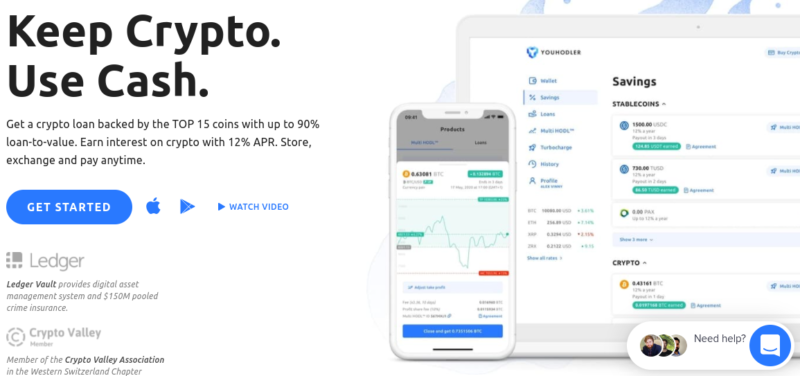
If you hold crypto and you’re not doing anything with it, you’re leaving money on the table. YouHodler is the platform I use to earn yield on idle holdings, borrow against crypto without selling, and occasionally take leveraged positions on the market.

I first covered YouHodler back in 2020. A lot has changed since then — the platform survived the 2022 crypto crisis that wiped out competitors like Celsius and BlockFi, expanded its regulatory standing across Europe, and deepened its product lineup considerably. This updated review reflects where things stand in 2026.

What is YouHodler?

YouHodler is a Swiss-based crypto finance platform founded in 2017, headquartered in Lausanne. It sits in the overlap between a crypto exchange, a yield platform, and a crypto-backed lending service. The core pitch: keep your crypto, put it to work.

Where most exchanges make money from trading fees and leave you with idle assets between moves, YouHodler gives you tools to generate yield on holdings, access liquidity without selling, and take leveraged directional positions if that’s your thing.

The main features:

  • Yield accounts — earn interest on BTC, ETH, stablecoins, and 50+ other assets
  • Crypto-backed loans — borrow fiat or stablecoins against your crypto at up to 90% LTV
  • Exchange — buy, sell, and swap crypto
  • Multi HODL — leveraged long/short trading (high risk, handle with care)

Not available to US citizens or residents. Primarily serves Europe, where the platform has operated since 2019.

Regulation and Track Record

YouHodler has built a more credible regulatory profile than most crypto platforms of its size. It’s a member of the Swiss VQF self-regulatory organization, which puts it under the Swiss Anti-Money Laundering Act (AMLA-CH). It’s also affiliated with the Financial Services Ombudsman FINSOM and registered as a virtual asset service provider (VASP) in Italy, Spain, and Argentina.

On the EU front, YouHodler has published a MiCA-compliant white paper — the EU’s Markets in Crypto-Assets framework that became fully effective in 2025. This is the same regulatory framework that forced many offshore platforms to either comply or exit European markets. YouHodler chose to engage.

The 2022 crypto crisis was a genuine stress test. Celsius, Voyager, and BlockFi all collapsed under the weight of illiquid positions and mismatched lending practices. YouHodler made it through, kept withdrawals open, and continued operating normally. That matters more to me than any marketing claim about security.

Worth noting: the Yield Account is not available to residents of Switzerland itself, due to local regulatory restrictions. Everything else is available throughout Europe.

Earn: Yield Accounts

This is the feature most long-term holders will care about most. Instead of sitting in a cold wallet generating nothing, your crypto earns a variable rate that YouHodler pays out weekly, directly in the same asset you deposited.

Current rates (as of early 2026, tiered by account level):

  • Bitcoin (BTC): up to 7–12% APY depending on tier
  • Ethereum (ETH): up to 8–12% APY depending on tier
  • USDT: up to 11–20% APY depending on tier
  • USDC: up to 11–15% APY depending on tier

YouHodler uses a seven-tier loyalty system — Basic, Jumpstart, Silver, Gold, Platinum, Diamond, VIP. Higher tiers earn meaningfully better rates. The minimum deposit to start earning is $100.

A few things worth knowing before depositing:

  • Interest accrues daily, paid out every Friday
  • No lock-up period — you can withdraw at any time, though you forfeit that week’s accrued interest if you pull out before the Friday payout
  • No fees on the earn product itself
  • Some stablecoins have restricted availability in certain EU markets

The rates on stablecoins are genuinely competitive. If you’re already holding USDT or USDC and have no near-term plans to deploy them, parking them at YouHodler makes straightforward sense. See how YouHodler compares in my roundup of the best crypto interest accounts.

Crypto-Backed Loans: Access Liquidity Without Selling

This is the feature that converted me from a passive observer to an actual user. The core idea: you need cash, but you don’t want to sell your Bitcoin or Ethereum because you believe they’re going higher — or because selling would trigger a taxable event.

YouHodler lets you deposit crypto as collateral and borrow fiat (EUR, USD, GBP) or stablecoins against it. Loans are processed in seconds, no credit check required. You repay the loan, you get your collateral back.

Loan-to-value options:

  • 97% LTV — highest risk, closest to liquidation threshold
  • 90% LTV — very aggressive, good for short-term liquidity needs
  • 70% LTV — moderate, more buffer before liquidation
  • 50% LTV — conservative, longest term, most safety margin

Loan terms run from 1 day to 364 days. Daily interest rates start from around 0.0099% depending on the asset and term. Loan origination fees range from roughly 1.70% to 7.50% of the loan value, varying by asset and LTV chosen.

The tax angle is relevant here, particularly for European investors. In most jurisdictions, borrowing against an asset is not a disposal — meaning no capital gains tax is triggered on the loan itself. You only face a taxable event if the platform liquidates your collateral due to a margin call. This makes crypto-backed loans a legitimate tax-efficiency tool for long-term holders who need liquidity. Run this past your own tax advisor, but the principle is well-established.

The “Price Down Limit” (PDL) is the equivalent of a margin call threshold — the price at which YouHodler will sell your collateral to close the loan. You can set and adjust this manually. If the market drops and you’re approaching your PDL, you’ll receive a notification and can add more collateral to extend your buffer.

There’s also a “Walk Away” option on 90% LTV loans: you can voluntarily close the loan, keep the borrowed funds, and surrender the collateral. A last resort, but useful to know it exists.

Exchange: Buy, Sell, and Swap

YouHodler functions as a full crypto exchange. You can buy crypto with a debit/credit card or bank transfer, sell crypto for fiat, and swap between assets directly on the platform.

The exchange is convenient if you’re already using YouHodler for yield or loans, but it’s not where I’d go for large trades — the spreads aren’t built for high-frequency or high-volume execution. Think of it as a utility layer, not a trading desk. For dedicated exchange options, see my list of the best crypto trading apps.

Fiat withdrawal fees are worth being aware of upfront:

  • SEPA EUR withdrawal: €5
  • SWIFT EUR withdrawal: €55
  • SWIFT USD withdrawal: $85
  • SWIFT GBP withdrawal: £70

For European users using SEPA, the €5 fee is reasonable. SWIFT fees are steep — factor those in if you’re moving significant amounts to a bank account.

There’s a dedicated exchange interface at YouHodler Exchange if you want to go straight to that feature.

Multi HODL: Leveraged Trading (High Risk)

Multi HODL is YouHodler’s leveraged trading product. It lets you go long or short on crypto with a multiplier up to 70x, built on top of a chain of automated loans that compound your exposure.

You set an entry amount, a multiplier, a take profit level, and a margin call level. YouHodler runs the loan chain automatically. If the trade goes your way, the gains are amplified. If it goes against you, the losses are amplified at the same rate.

This is a tool for people who understand leverage and have clear risk management in place. The minimum position is $10, which makes it accessible — but accessibility doesn’t reduce the risk. At 70x leverage, a 1.4% move against you wipes the position. Treat it accordingly.

Multi HODL was redesigned in recent years — the origination fee was removed, so you only pay a small hourly rollover fee (0.005% per hour on open positions) plus a profit share fee on winning trades.

If this isn’t your area, skip it entirely. The yield and loan features stand completely on their own.

Security

YouHodler stores client crypto assets using Ledger Vault, the enterprise custody arm of Ledger. Private keys are held in hardware security modules (HSMs), isolated from day-to-day operations and protected by multi-signature access controls. No single person or operator can move funds unilaterally.

The Ledger Vault integration comes with crime insurance coverage of up to $150 million, which covers client assets against employee theft, third-party theft of private keys, and physical breach of hardware security. That’s a meaningfully higher coverage level than the $1 million figure I mentioned in my original 2020 review.

Fiat deposits are held with regulated European banking partners. Two-factor authentication (2FA) is available and should be enabled on every account. YouHodler does not currently publish proof-of-reserves — a transparency gap worth noting, though it’s a common gap across the industry.

Who Should Use YouHodler

Good fit if you:

  • Hold crypto long-term and want to earn yield without active trading
  • Need liquidity but don’t want to sell your holdings or trigger a capital gains event
  • Are a European investor comfortable with a regulated, Swiss-based platform
  • Want a single platform covering earn, borrow, and exchange in one place

Look elsewhere if you:

  • Are a US citizen or resident (YouHodler is not available to you)
  • Are a Swiss resident looking for the Yield Account specifically (not available due to local regulation)
  • Want the lowest possible trading spreads for high-volume execution — a dedicated exchange will serve you better
  • Are not comfortable with centralized custody of your assets — if self-custody is a hard requirement, this platform isn’t for you

YouHodler Review: My Take

YouHodler has matured into a credible platform for European crypto investors. It’s not trying to be everything — it’s specifically built for people who hold crypto and want to do more with it than just wait.

The yield rates are competitive, particularly on stablecoins. The crypto-backed loans are genuinely useful for anyone managing a long-term position who occasionally needs liquidity. The regulatory groundwork — VQF membership, MiCA engagement, VASP registrations across multiple jurisdictions — gives it a more solid footing than most of the platforms that imploded in 2022.

The things I’d want to see improve: proof-of-reserves disclosure, and more transparency around how the yield rates are generated and sustained. These aren’t dealbreakers, but they’re the questions a careful investor should be asking of any yield-bearing crypto platform.

If you’re a European holder looking to put idle crypto to work without selling, YouHodler is worth a close look.

Start Earning with YouHodler

Filed under: Cryptoassets, Money

Spotlight Review – Easily Add Instagram Feeds to Your Site

Last updated: March 12, 2026Leave a Comment

Spotlight

As you might have noticed, I include the latest photos from my Instagram feed in the footer of my blog. I’m no Instagram celebrity, but including the Instagram shots help my readers get a glimpse of another side of me, namely my experiences as a padel player competing in Spain and my journey in this sport.

Spotlight for WordPress offers a simple and effective way to add your Instagram feeds to your WordPress site.

Instagram has become one of the most used social media platforms. It is now becoming as important as ever to harness its power and use it to your advantage. By integrating your Instagram feed on your site, you can increase social engagement and brand awareness while also building social proof.

As one of the main social media platforms, Instagram is a place where you can connect with your audience in a very different way than you would on Twitter or Facebook. While Twitter is mostly used to express your views and Facebook to connect with friends and family, Instagram is unique in that it is a space where you can tell your story. Used in the right way, Instagram can be a very powerful tool for bloggers, businesses, and brands alike.

Instagram for me is a place where I can share my passion for sports – in particular my padel and tennis journey. It is a way to showcase a different side to my personality that adds a personal touch to my blog. In this post, I will be taking you through the process of installing Spotlight on your website, just like I’ve done in my footer. Let’s get to it.

Whether you have a blog, product or service page, run events, or a business, Spotlight can help you take your Instagram game to the next level.

Instagram itself, surprisingly, does not make it very simple to embed such a feed and customize it on your site. Instead, we have to use WordPress plugins that facilitate this task. My favorite plugin for this is Spotlight, so in this post, I’ll review Spotlight for WordPress and cover some of its best features.

[Read more…]

Filed under: Tech

What are Good Monthly Operating Margins for Software/SAAS Businesses?

Published: June 22, 20202 Comments

If you operate a software business (such as WordPress plugins) or a SAAS, it is important to benchmark your operating profit with that of other similar businesses.

Before we start, it’s important to clear up some definitions:

Gross Margin – Revenue minus Cost of Goods Sold (or Cost of Sales)
Operating Margin – Gross Margin minus Sales, Marketing, General and Admin expenses
Net Margin – Operating Margin minus Interest & Taxes

I’m looking at operating margin % here.

You can take a look at some open metrics over at Baremetrics for a start.

I also asked several of my friends in business and there isn’t one clear answer. The most common percentage I could identify is around 80%, but it’s not always clear what margin they are referring to.

[Read more…]

Filed under: Business

How to Start a Blog with WordPress

Last updated: April 08, 20211 Comment

how to start a WordPress blog bluehost

Starting a blog is a fun and rewarding experience. However, on the other hand, it can also be portrayed as being as daunting as it is interesting. Often, people are very interested in starting their own blog but struggle to get to grips with how to go about starting one from scratch.

The purpose of this post is to provide you with insight and guidelines into how you can start your own blog using one of the most powerful platforms for this purpose – WordPress.

STEP 1 – WordPress as the chosen blogging platform

WordPress is a self-hosted platform and is one of the most popular Content Management Systems (CMS) available. Millions of posts are created using this platform and it can be used for building many types of websites, ranging from a personal blog to business-level sites. The main advantage of WordPress is its user-friendliness, easy to understand interface, as well as being completely customizable.

The WordPress software can be downloaded from wordpress.org.

STEP 2 – Choosing a Web Host

Once you have decided to use WordPress as your blogging platform, you will need to choose a web hosting company to host your site. Web hosting can be a very complicated and technical topic, and it’s what trips most new bloggers up in their initial steps.

My suggestion is to keep things simple and don’t get too obsessed about finding the best possible host and configuration.

You will see that thousands if not millions of bloggers out there start off with a platform like Bluehost. The reason is that this company has been in the industry for over twenty years and provides one of the most simple ways to starting a WordPress blog and keeping it running without any issues.

If you choose Bluehost, you don’t even need to download WordPress yourself, instead you can use their interface to get it installed, with the big advantage being that you can get started in 5 minutes without worrying about MySQL databases and editing any PHP files.

Get a Bluehost hosting account

Here’s a quote from my cousin, who was able to get his own blog up and running after a short chat with me that consisted of me telling him the guidelines that I’m sharing with you in this blog post:

I have personally just started WordPress an Bluehost for blogging and was able to understand how to use it and its functions fairly quickly! The main reason for this is that the back end is intuitive, straightforward and relatively easy to navigate around. Moreover, there are many fora, tutorials or blogs which can help one acclimatise to this CMS.

One helpful site for tutorials is www.lynda.com, offering basic and more advanced tutorials WordPress guides. Check it out!

STEP 3 – Selecting a topic for your blog

OK, so you have decided to create your own blog. Now you must determine what your blog will be about.  What topic best suits the need for creating this blog? There are many topics one can select. It is important to keep in mind that you don’t need to necessarily pick a topic that is seemingly the most popular, but you may also opt to select a topic that is interesting to you, enjoyable and one in which you are interested in learning further.  However, do remember that if you manage to strike a balance between the two aforementioned approaches, you will increase the likelihood of increased traffic to your blog!

Keep in mind also that you need not be the expert in that field when you first start out!  You need only have a keen interest and passion for the topic and ultimately learn as you go along.

One other important factor to keep in mind is that the blog topic chosen should not determine that your entire blog will be tied to that topic.  Feel free to switch around a few topics or spread your topic into other areas of interest.  Feel free to experiment and mix it up a bit. Ultimately, you will definitely find the topic, or topic, which will definitely be to your liking and best matches your interests or passion.

So we have so far determined that we want to start a blog, identified WordPress as our blogging platform and chosen our web host. We also identified our chosen topic of interest. Let’s move on to the next steps…

STEP 4 – Setting up your WordPress blog

In order to start your blog, you need a host and a domain name.

The domain name is the main URL, or the address, for your website.  Choose wisely as this is what will identify and distinguish your blog from others!  The following are a number of tips when selecting your domain name:

  • Keep the name simple and relevant to your blog
  • Keep it as short as possible
  • Make it easy to type and pronounce
  • Avoid using number and symbols, like hyphens, as this can make it confusing and hard to find for your visitors
  • Try to use words that can be easily picked up by search engines to improve your visibility on the web

We touched briefly on hosting earlier, and I hope you took the chance to get that set up right away. If you did, then great, you can skip to the next step.

If you’re still unsure, let’s talk a bit more about web hosting.

Every website needs web hosting in order to function.  Without having a web host you would not be able to take your blog live on the web.  The web host’s function is to store your files and data on their servers so that people visiting your website can access the content of your website using their web browsers.

There are a number of different web hosting options available.  Below is a shortlist of hosts I’ve tried over the years and can recommend for beginner bloggers:

  • Bluehost
  • Kinsta
  • WP Engine

So if you want to compare and contrast, by all means, visit those hosts and take your pick. You can’t go wrong with any of them. 

STEP 5 – Customizing your blog

So you have now taken your website live on the web! The next step is to start customizing your blog’s design to make it visually appealing, easy to navigate, and attractive to your visitors.

Themes

WordPress gives you the ability to select amongst thousands of themes for your website.  There are free themes and the premium themes which often provide more advanced features and functions for your website.  Navigate through the library to select the theme which best suits the content of your blog.  Keep in mind that when selecting a theme try to opt for a theme that is simple to use and offers a clear and clear design for your visitors to view and navigate through.

The following are a couple of good WordPress themes and page builders suitable for blogs. My favorite combinations are:

  • Studiopress
  • Elementor

Plugins

Plugins are a function in WordPress that have the ability to improve the design and functionality of your blog.  They are essentially add ons that you can install on your site that focus primarily on adding new features to your site.  The type of plugin required depends on the type of blog you are writing and the type of extended function that you are after.  Much like themes, there are a plethora of plugins available to the community. For blogs, in particular, you can check out plugins like Spotlight (Instagram and Social Media) as well as WP RSS Aggregator (importing news items from other sites via RSS).

STEP 6 – Writing your first blog post

Congratulations! You have set up and customised your WordPress blog.  Your next step it to start writing your first blog post!

To write your first blog post, click on the Posts menu in the left hand menu of your dashboard, then select Add New.

To begin with, start with choosing a title for your blog post.  Posts are structured into various ‘blocks’  Each block you add can contain different types of content.  For example, text, images, videos, headers, lists, etc.  Proceed by writing your blog and inserting the different types of content as necessary for your blog.

You may notice that on the right hand side of your dashboard when writing a blog there is an option to assign ‘Categories and Tags’ to your blog posts.

Whilst writing your blog post you may choose to save the blog as a draft or to preview it as it will look on your website.  Furthermore, when you have finished writing your blog you can click on the Publish button to make your post live on your website, either immediately or set it to go live on a certain date and time.

Once you have written and published your first post, set yourself a timeline as to when you would like to start publishing your next posts to your blog.

Happy blogging!

Let me know in the comments section if you have any questions about starting a new blog and I’ll be happy to help out. It can certainly take a lifetime of learning to run a successful blog, but now it’s easier than ever to get started thanks to hosts like Bluehost and the WordPress software.

Filed under: Tech

  • « Previous Page
  • 1
  • …
  • 43
  • 44
  • 45
  • 46
  • 47
  • …
  • 89
  • Next Page »

Latest Padel Match

Jean Galea

Investor | Dad | Global Citizen | Athlete

Follow @jeangalea

  • My Padel Experience
  • Affiliate Disclaimer
  • Cookies
  • Contact

Copyright © 2006 - 2026 · Hosted at Kinsta · Built on the Genesis Framework