Jean Galea

Health, Wealth, Relationships, Wisdom

  • Start Here
  • Guides
    • Beginner?s Guide to Investing
    • Cryptocurrencies
    • Stocks
    • P2P Lending
    • Real Estate
    • Forex
    • CFD Trading
    • Start and Monetize a Blog
  • My Story
  • Blog
    • Cryptoassets
    • P2P Lending
    • Real estate
  • Consultancy
    • Consult with Jean
    • Consult a Lawyer on Taxation and Corporate Setups
  • Podcast
  • Search

AxiaFunder Review – Litigation Funding with 20% ROI

Last updated: September 26, 20221 Comment

AxiaFunder Review

The online crowdfunding arena now touches a vast number of investment sectors. As you likely well know, this covers everything from real estate, consumer and business loans, development financing, and even fine art. With that said, a rather interesting sector that is yet to fully take-off is that of litigation crowdfunding.

This is where you will be – alongside your fellow crowdfunding platform members, financing legal cases. In return – and on the proviso that legal proceedings are financially successful, you as an investor will be entitled to your share.

If you’re keen to find out more about this somewhat innovative crowdfunding opportunity, I welcome you to read my in-depth AxiaFunder Review. I cover each and every metric that I think you should consider before taking the plunge – such as how AxiaFunder works, what types of cases you can invest in, expected returns, and of course – the underlying risks involved.

What is AxiaFunder?

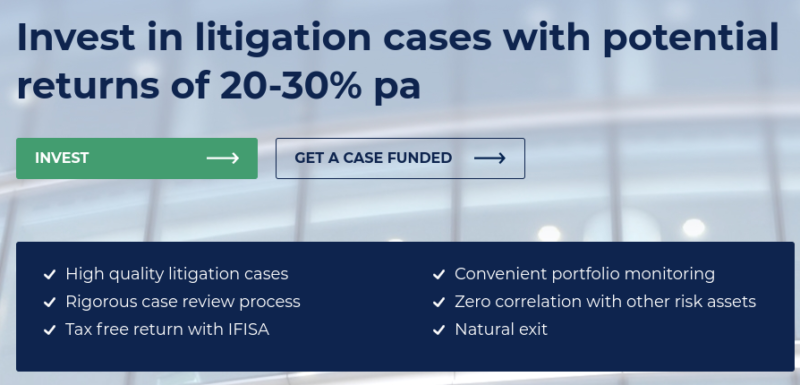
Founded in 2016, AxiaFunder is an online crowdfunding platform that specializes exclusively in litigation finance. Before I go any further, it is relevant for me to quickly outline the fundamentals of what litigation finance actually is – as it might be something you haven’t previously come across.

AxiaFunder

In its most basic form, litigation finance allows those seeking financial damages through the courts to fund their claim when they are unable to do so themselves.

[Read more…]

Filed under: Money, P2P Lending

YouHodler Review 2026 – Earn Up To 12% Interest on Your Cryptos

Last updated: January 15, 202618 Comments

Youhodler

Taking into account the volatile nature of cryptocurrencies, investors are faced with an ongoing dilemma – exit the position or ‘HODL’. For those investors in it for the long run, they will simply look to hold on their cryptocurrencies with the hope that in the near future they will be worth significantly more.

Until then, the coins remain idle in a private wallet – resulting in opportunity costs along the way. After all – and much like gold, Bitcoin does not yield any income.

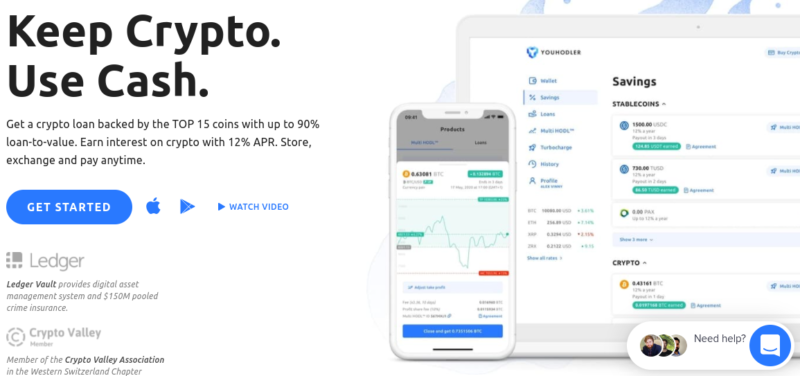
With this in mind, YouHodler has created an online platform that allows you to earn interest by depositing your digital currencies. In turn, this will then be loaned out to those that wish to engage with crypto-loans.  Today, the company presents itself as a crypto-fiat finance service that offers half a dozen distinct features to meet the needs of both investors and borrowers.

In my YouHodler review, I explore the ins and outs of how the platform works. Not only does this include a breakdown of its interest-yielding service, but I also have a closer look at a number of other key features found at the platform.

[Read more…]

Filed under: Cryptoassets, Money

Spotlight Review – Easily Add Instagram Feeds to Your Site

Last updated: April 06, 2021Leave a Comment

Spotlight

As you might have noticed, I include the latest photos from my Instagram feed in the footer of my blog. I’m no Instagram celebrity, but including the Instagram shots help my readers get a glimpse of another side of me, namely my experiences as a padel player competing in Spain and my journey in this sport.

Spotlight for WordPress offers a simple and effective way to add your Instagram feeds to your WordPress site.

Instagram has become one of the most used social media platforms. It is now becoming as important as ever to harness its power and use it to your advantage. By integrating your Instagram feed on your site, you can increase social engagement and brand awareness while also building social proof.

As one of the main social media platforms in 2020, Instagram is a place where you can connect with your audience in a very different way than you would on Twitter or Facebook. While Twitter is mostly used to express your views and Facebook to connect with friends and family, Instagram is unique in that it is a space where you can tell your story. Used in the right way, Instagram can be a very powerful tool for bloggers, businesses, and brands alike.

Instagram for me is a place where I can share my passion for sports – in particular my padel and tennis journey. It is a way to showcase a different side to my personality that adds a personal touch to my blog. In this post, I will be taking you through the process of installing Spotlight on your website, just like I’ve done in my footer. Let’s get to it.

Whether you have a blog, product or service page, run events, or a business, Spotlight can help you take your Instagram game to the next level.

Instagram itself, surprisingly, does not make it very simple to embed such a feed and customize it on your site. Instead, we have to use WordPress plugins that facilitate this task. My favorite plugin for this is Spotlight, so in this post, I’ll review Spotlight for WordPress and cover some of its best features.

[Read more…]

Filed under: Tech

What are Good Monthly Operating Margins for Software/SAAS Businesses?

Published: June 22, 20202 Comments

If you operate a software business (such as WordPress plugins) or a SAAS, it is important to benchmark your operating profit with that of other similar businesses.

Before we start, it’s important to clear up some definitions:

Gross Margin – Revenue minus Cost of Goods Sold (or Cost of Sales)
Operating Margin – Gross Margin minus Sales, Marketing, General and Admin expenses
Net Margin – Operating Margin minus Interest & Taxes

I’m looking at operating margin % here.

You can take a look at some open metrics over at Baremetrics for a start.

I also asked several of my friends in business and there isn’t one clear answer. The most common percentage I could identify is around 80%, but it’s not always clear what margin they are referring to.

[Read more…]

Filed under: Business

How to Start a Blog with WordPress

Last updated: April 08, 20211 Comment

how to start a WordPress blog bluehost

Starting a blog is a fun and rewarding experience. However, on the other hand, it can also be portrayed as being as daunting as it is interesting. Often, people are very interested in starting their own blog but struggle to get to grips with how to go about starting one from scratch.

The purpose of this post is to provide you with insight and guidelines into how you can start your own blog using one of the most powerful platforms for this purpose – WordPress.

STEP 1 – WordPress as the chosen blogging platform

WordPress is a self-hosted platform and is one of the most popular Content Management Systems (CMS) available. Millions of posts are created using this platform and it can be used for building many types of websites, ranging from a personal blog to business-level sites. The main advantage of WordPress is its user-friendliness, easy to understand interface, as well as being completely customizable.

The WordPress software can be downloaded from wordpress.org.

STEP 2 – Choosing a Web Host

Once you have decided to use WordPress as your blogging platform, you will need to choose a web hosting company to host your site. Web hosting can be a very complicated and technical topic, and it’s what trips most new bloggers up in their initial steps.

My suggestion is to keep things simple and don’t get too obsessed about finding the best possible host and configuration.

You will see that thousands if not millions of bloggers out there start off with a platform like Bluehost. The reason is that this company has been in the industry for over twenty years and provides one of the most simple ways to starting a WordPress blog and keeping it running without any issues.

If you choose Bluehost, you don’t even need to download WordPress yourself, instead you can use their interface to get it installed, with the big advantage being that you can get started in 5 minutes without worrying about MySQL databases and editing any PHP files.

Get a Bluehost hosting account

Here’s a quote from my cousin, who was able to get his own blog up and running after a short chat with me that consisted of me telling him the guidelines that I’m sharing with you in this blog post:

I have personally just started WordPress an Bluehost for blogging and was able to understand how to use it and its functions fairly quickly! The main reason for this is that the back end is intuitive, straightforward and relatively easy to navigate around. Moreover, there are many fora, tutorials or blogs which can help one acclimatise to this CMS.

One helpful site for tutorials is www.lynda.com, offering basic and more advanced tutorials WordPress guides. Check it out!

STEP 3 – Selecting a topic for your blog

OK, so you have decided to create your own blog. Now you must determine what your blog will be about.  What topic best suits the need for creating this blog? There are many topics one can select. It is important to keep in mind that you don’t need to necessarily pick a topic that is seemingly the most popular, but you may also opt to select a topic that is interesting to you, enjoyable and one in which you are interested in learning further.  However, do remember that if you manage to strike a balance between the two aforementioned approaches, you will increase the likelihood of increased traffic to your blog!

Keep in mind also that you need not be the expert in that field when you first start out!  You need only have a keen interest and passion for the topic and ultimately learn as you go along.

One other important factor to keep in mind is that the blog topic chosen should not determine that your entire blog will be tied to that topic.  Feel free to switch around a few topics or spread your topic into other areas of interest.  Feel free to experiment and mix it up a bit. Ultimately, you will definitely find the topic, or topic, which will definitely be to your liking and best matches your interests or passion.

So we have so far determined that we want to start a blog, identified WordPress as our blogging platform and chosen our web host. We also identified our chosen topic of interest. Let’s move on to the next steps…

STEP 4 – Setting up your WordPress blog

In order to start your blog, you need a host and a domain name.

The domain name is the main URL, or the address, for your website.  Choose wisely as this is what will identify and distinguish your blog from others!  The following are a number of tips when selecting your domain name:

  • Keep the name simple and relevant to your blog
  • Keep it as short as possible
  • Make it easy to type and pronounce
  • Avoid using number and symbols, like hyphens, as this can make it confusing and hard to find for your visitors
  • Try to use words that can be easily picked up by search engines to improve your visibility on the web

We touched briefly on hosting earlier, and I hope you took the chance to get that set up right away. If you did, then great, you can skip to the next step.

If you’re still unsure, let’s talk a bit more about web hosting.

Every website needs web hosting in order to function.  Without having a web host you would not be able to take your blog live on the web.  The web host’s function is to store your files and data on their servers so that people visiting your website can access the content of your website using their web browsers.

There are a number of different web hosting options available.  Below is a shortlist of hosts I’ve tried over the years and can recommend for beginner bloggers:

  • Bluehost
  • Kinsta
  • WP Engine

So if you want to compare and contrast, by all means, visit those hosts and take your pick. You can’t go wrong with any of them. 

STEP 5 – Customizing your blog

So you have now taken your website live on the web! The next step is to start customizing your blog’s design to make it visually appealing, easy to navigate, and attractive to your visitors.

Themes

WordPress gives you the ability to select amongst thousands of themes for your website.  There are free themes and the premium themes which often provide more advanced features and functions for your website.  Navigate through the library to select the theme which best suits the content of your blog.  Keep in mind that when selecting a theme try to opt for a theme that is simple to use and offers a clear and clear design for your visitors to view and navigate through.

The following are a couple of good WordPress themes and page builders suitable for blogs. My favorite combinations are:

  • Studiopress
  • Elementor

Plugins

Plugins are a function in WordPress that have the ability to improve the design and functionality of your blog.  They are essentially add ons that you can install on your site that focus primarily on adding new features to your site.  The type of plugin required depends on the type of blog you are writing and the type of extended function that you are after.  Much like themes, there are a plethora of plugins available to the community. For blogs, in particular, you can check out plugins like Spotlight (Instagram and Social Media) as well as WP RSS Aggregator (importing news items from other sites via RSS).

STEP 6 – Writing your first blog post

Congratulations! You have set up and customised your WordPress blog.  Your next step it to start writing your first blog post!

To write your first blog post, click on the Posts menu in the left hand menu of your dashboard, then select Add New.

To begin with, start with choosing a title for your blog post.  Posts are structured into various ‘blocks’  Each block you add can contain different types of content.  For example, text, images, videos, headers, lists, etc.  Proceed by writing your blog and inserting the different types of content as necessary for your blog.

You may notice that on the right hand side of your dashboard when writing a blog there is an option to assign ‘Categories and Tags’ to your blog posts.

Whilst writing your blog post you may choose to save the blog as a draft or to preview it as it will look on your website.  Furthermore, when you have finished writing your blog you can click on the Publish button to make your post live on your website, either immediately or set it to go live on a certain date and time.

Once you have written and published your first post, set yourself a timeline as to when you would like to start publishing your next posts to your blog.

Happy blogging!

Let me know in the comments section if you have any questions about starting a new blog and I’ll be happy to help out. It can certainly take a lifetime of learning to run a successful blog, but now it’s easier than ever to get started thanks to hosts like Bluehost and the WordPress software.

Filed under: Tech

  • « Previous Page
  • 1
  • …
  • 45
  • 46
  • 47
  • 48
  • 49
  • …
  • 95
  • Next Page »

Latest Padel Match

Jean Galea

Investor | Dad | Global Citizen | Athlete

Follow @jeangalea

  • My Padel Experience
  • Affiliate Disclaimer
  • Cookies
  • Contact

Copyright © 2006 - 2026 · Hosted at Kinsta · Built on the Genesis Framework